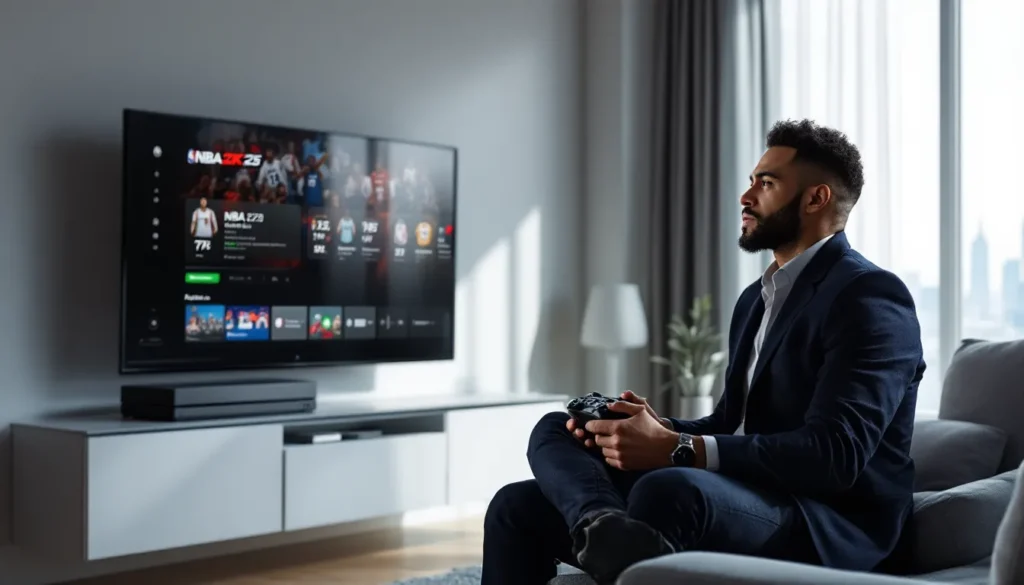
NBA 2K25 dropped in September 2024, bringing another year of virtual hoops action to Xbox One players. But here’s the thing: while the Series X/S versions got the spotlight with their flashy next-gen features, the Xbox One release still delivers a solid basketball sim for players who haven’t upgraded their hardware yet. Whether you’re grinding MyCareer, building the ultimate squad in MyTeam, or testing your skills in online matches, 2K25 on Xbox One has enough depth to keep you busy through 2026 and beyond.
This guide breaks down everything Xbox One players need to know about NBA 2K25, from what’s actually new in this year’s release to how the game performs on older hardware. We’ll jump into the core modes, examine the real-world performance differences between console generations, and give you practical tips to dominate on the court. No fluff, just the info you need to decide if 2K25 deserves a spot in your library and how to make the most of it if you’re still rocking the original Xbox One or One S.
Table of Contents
ToggleKey Takeaways
- NBA 2K25 on Xbox One delivers solid basketball gameplay with updated rosters and improved AI, but performance is limited to 30fps compared to the 60fps experience on Series X/S consoles.
- MyCareer mode offers hundreds of hours of progression content, though advancing from mid-60s to competitive overall ratings requires either 100+ hours of grinding or $50+ in Virtual Currency purchases.
- MyTeam’s competitive mode rewards strategic roster building through challenges and auctions rather than pack gambling, with the Auction House providing better value than pack openings for acquiring player cards.
- Long load times (45-50 seconds per game) and dated visuals make NBA 2K25 on Xbox One feel outdated in 2026, though gameplay mechanics and defensive adjustments over 2K24 represent meaningful improvements.
- Online multiplayer requires adapting to potential latency and peer-to-peer connection limitations, while mastering shot timing, defensive positioning, and pick-and-roll strategies is essential for competitive success.
- At discounted prices ($29.99-39.99 on sale), NBA 2K25 on Xbox One justifies the purchase for offline players, but Series X/S owners will experience significantly superior performance and visual fidelity.
What’s New in NBA 2K25 for Xbox One
Updated Rosters and Team Dynamics
2K Sports rolled out NBA 2K25 with rosters current as of the 2024-25 season tip-off. That means you’re getting players in their new jerseys after the summer trades, updated ratings reflecting last season’s performances, and rookie classes ready to develop. Throughout the season, 2K pushes regular roster updates to keep team compositions accurate, injuries, trades, and rating adjustments all flow through automatically when you’re connected online.
The AI team dynamics got a noticeable bump this year. Computer-controlled teammates make smarter cuts, set better screens, and generally don’t stand around like traffic cones as much as they did in 2K24. Defensive rotations feel more realistic too, with CPU defenders actually helping on drives and recovering to shooters instead of leaving them wide open. It’s not perfect, but it’s a step forward.
Franchise mode sees updated playbooks and coaching strategies that reflect real NBA trends. Teams that run heavy pick-and-roll in real life will spam it in-game, and defensive schemes match up better with their real-world counterparts. It’s a small detail, but it adds authenticity when you’re deep into a MyLeague season.
Gameplay Improvements and Mechanics
ProPLAY technology didn’t make it to Xbox One, that’s a next-gen exclusive, but 2K still tweaked the core mechanics on last-gen consoles. The shooting system carries over from 2K24 with minor adjustments to timing windows. Green releases still reward perfect timing with guaranteed makes, but the margin for error on slightly early or late releases feels a bit more forgiving than last year.
Dribbling animations got a refresh, adding new signature moves for star players. Crossovers, between-the-legs moves, and stepbacks chain together more fluidly now. The right stick controls remain mostly unchanged, which is good news if you’ve spent years developing muscle memory. Defense mechanics saw tweaks to on-ball containment, staying in front of your man requires less frantic stick movement, though elite ball-handlers can still cook you if you’re not reading their tendencies.
Post play received some love with improved animations for backdowns, hooks, and fadeaways. Big men feel more impactful in the paint, and physicality actually matters when you’re battling for position. The stamina system punishes players who spam turbo more aggressively now, so managing your energy bar matters in tight fourth quarters.
One major change: passing lane steals got nerfed compared to 2K24. Players were complaining that passing lanes felt like force fields last year, so 2K dialed back the interception frequency. You’ll still get picked off if you make lazy cross-court passes, but routine entry passes don’t get stolen nearly as often.
Visual and Audio Enhancements
Let’s be real, the Xbox One version of 2K25 isn’t winning any beauty contests in 2026. The visual upgrades here are minimal compared to what Series X/S players get. Player models look nearly identical to 2K24, arenas have the same level of detail, and crowd animations remain fairly static.
That said, 2K did update jersey designs, court floors, and sponsor patches to match the current season. Lighting during gameplay remains solid, with decent contrast between daytime and evening games. Sweat and jersey physics are present but not enhanced from last year.
On the audio side, the soundtrack features over 50 licensed tracks spanning hip-hop, R&B, and some electronic cuts. Kevin Harlan returns as the primary play-by-play commentator alongside Brian Anderson, and their commentary includes new lines referencing current storylines and player performances. The commentary can still get repetitive after dozens of games, but it’s serviceable.
Arena atmosphere gets a boost with updated crowd chants and reactions that feel more contextual to game situations. Close games in the fourth quarter actually sound tense now, while blowouts have that deflated vibe you’d expect. It’s a small touch that adds to immersion when you’re locked into a playoff series.
Performance Analysis: How NBA 2K25 Runs on Xbox One
Frame Rate and Graphics Quality
NBA 2K25 on Xbox One targets 30 frames per second during gameplay, and it mostly hits that mark. During standard 5v5 matches, the frame rate stays consistent enough that gameplay feels smooth. You won’t get the buttery 60fps experience that Series X/S owners enjoy, but the 30fps target is stable outside of specific scenarios.
Frame drops occasionally happen during high-traffic moments, think fast breaks with multiple players sprinting downcourt while the camera pans quickly. These dips are brief but noticeable, especially if you’re used to higher frame rates from other games. The One S and original Xbox One perform similarly here, with no significant difference between the two models.
Graphics quality sits at 1080p resolution on Xbox One, though it’s likely using dynamic resolution scaling to maintain frame rate. During close-ups and replays, player faces look decent, but the overall texture quality is clearly a generation behind. Jerseys lack the fine detail you’d see on newer hardware, and arena elements like crowd members are lower-poly models that repeat frequently.
Lighting is where the Xbox One version shows its age most. The dynamic lighting and realistic shadows that make the Series X version pop just aren’t present here. Games played in different arenas look fairly similar, missing that distinct visual character each building should have.
Load Times and System Requirements
Load times on Xbox One are rough, not gonna sugarcoat it. Booting up the game from the dashboard takes about 60-70 seconds before you hit the main menu. Loading into a MyCareer game runs another 45-50 seconds, and that’s before you factor in the brief pre-game presentation. Players who upgraded to external SSDs report load times cut roughly in half, but that’s an additional investment.
Navigating MyTeam menus can feel sluggish, especially when scrolling through large card collections. The game needs to load player card assets on the fly, and there’s noticeable stuttering when you’re rapidly moving through your lineup. It’s not game-breaking, but it’s annoying when you’re trying to quickly adjust your rotation before a match.
System requirements are standard for the platform, NBA 2K25 needs about 80GB of storage space including patches and updates. The game doesn’t push the Xbox One’s hardware to any dangerous limits: you won’t hear your console’s fan screaming like some more demanding titles.
One persistent issue: the game occasionally hitches for a split second during live gameplay, usually when substitutions happen or during dead balls. These micro-stutters don’t affect the outcome of plays, but they break immersion. Some players reported these improved after Patch 1.4 in November 2024, though they haven’t disappeared entirely.
Comparison with Xbox Series X/S Versions
The gap between Xbox One and Series X/S versions of NBA 2K25 is significant. Series X runs at 4K resolution and 60fps, delivering gameplay that’s objectively smoother and more responsive. The doubled frame rate makes a real difference in competitive scenarios, timing shots, reacting to defenders, and executing quick dribble moves all feel more precise at 60fps.
ProPLAY technology is the biggest feature absent from Xbox One. This animation system uses real NBA footage to generate more realistic player movements and is exclusive to current-gen consoles. Xbox One relies on the traditional animation system that’s been iterated on for years. It’s not bad, but it lacks the fluidity and authenticity that ProPLAY delivers.
Load times are dramatically faster on Series consoles thanks to their SSD architecture. What takes 45 seconds on Xbox One loads in about 10 seconds on Series X. If you play multiple quick matches in a session, that time savings adds up fast.
Visually, the Series X/S versions include ray-traced reflections on court floors, significantly more detailed crowd models, better cloth physics, and improved facial animations during close-ups. The Xbox One version looks competent but clearly dated by comparison. According to aggregated reviews on Metacritic, the next-gen versions scored notably higher than last-gen releases, largely due to these visual and performance improvements.
Online play theoretically performs similarly across generations since netcode is the main factor, but the higher frame rate on Series consoles does provide a competitive edge when every millisecond matters in tight defensive situations.
MyCareer Mode: Building Your Basketball Legacy
Character Creation and Customization
MyCareer starts with character creation, where you’ll build your player from scratch. The face scanning feature works on Xbox One if you use the Xbox app on your smartphone, though results vary wildly based on lighting conditions. Most players end up using the preset facial features and tweaking sliders instead, it’s faster and usually looks better than a wonky scan.
You’ll pick your position, height, weight, and wingspan, which all dramatically affect your build’s potential. The archetype system lets you blend attributes, want a slashing playmaker who can finish at the rim and set up teammates? Go for it. Prefer a stretch big who camps the three-point line? That works too. The build variety is solid, though the meta quickly forms around a few dominant archetypes.
Badge selection remains central to your player’s effectiveness. Badges provide significant boosts to specific skills, finishing badges like Limitless Takeoff make you an elite dunker, while defensive badges like Clamps help you stay glued to ball-handlers. You earn badge points by performing relevant actions in games, so if you want shooting badges, you need to actually shoot.
Customization extends beyond on-court performance. The MyCareer neighborhood (called The City in 2K25, though it’s a scaled-down version on Xbox One) lets you hit up stores to buy clothes, shoes, and accessories for your player. Brands like Nike, Adidas, and Jordan are all represented with real products. It’s admittedly grindy, everything costs Virtual Currency (VC), which you earn slowly through gameplay or buy with real money.
Story Mode and Progression System
The MyCareer story in 2K25 follows your journey from an undrafted prospect to NBA stardom. The narrative isn’t winning any writing awards, it hits familiar beats about proving doubters wrong and earning respect, but it’s competently told with decent voice acting. You’ll make dialogue choices that slightly affect relationships with teammates and coaches, though the overall arc stays on rails.
Progression feels deliberately slow, especially if you’re not spending real money on VC. Your starting overall rating sits in the mid-60s, and you’ll feel genuinely terrible for the first several games. Shots clank, defenders blow past you, and you’ll question your life choices. As you earn VC and upgrade attributes, your player gradually becomes competent, then good, then eventually elite.
The grind is real, getting from a 60 overall to 85 overall takes dozens of hours of gameplay and somewhere around 200,000-250,000 VC. You earn roughly 1,000-1,500 VC per NBA game depending on your performance, so the math is daunting. This is where microtransactions rear their head: buying VC bundles with real money can fast-track your progression.
In-game performance matters for progression. You’ll set season goals with your agent, like averaging certain stats or winning awards. Meeting these goals provides substantial VC bonuses and unlocks endorsement opportunities. Players who enjoy tackling specific challenges in Ready or Not will recognize the satisfaction of methodically completing objectives for rewards.
The neighborhood activities offer alternative ways to earn VC and rep. You can run 3v3 games in The Park, compete in various events, or just do daily activities. These modes are better for VC-per-hour returns if you’re efficient, but they require a somewhat developed player to compete effectively.
MyTeam Mode: Strategies for Building a Winning Squad
Earning Virtual Currency and Rewards
MyTeam is 2K’s card-collecting mode where you build a fantasy roster by acquiring player cards through packs, auctions, or rewards. It’s part deck-building strategy, part team management, and entirely driven by grinding or spending money.
The smartest way to build currency without opening your wallet is completing challenges and agendas. These rotate regularly and reward you with tokens, MT (MyTeam points), and player cards. Daily challenges take 10-15 minutes and provide consistent small rewards. Weekly challenges are more involved but offer better payouts. Seasonal agendas run for 6-8 weeks and reward exclusive cards that can anchor your lineup.
Domination mode remains the best starting point for new players. You’ll play through tiers of games against CPU teams, earning MT and tokens along the way. The rewards scale up as you progress, early tiers give you low-tier cards and MT, while later tiers unlock higher-tier players. Completing all three Domination tiers (Regular, All-Time, and Hall of Fame) takes weeks but provides a solid foundation.
Triple Threat Offline is another efficient grind. These quick 3v3 games take 5-7 minutes and reward you based on wins. The reward board features MT, tokens, and occasionally player cards. It’s a solid option when you’ve got limited time but want to make progress.
Online modes like Unlimited and Limited offer better rewards but require competitive rosters and skill. Unlimited is the ranked mode where you’re trying to reach the top tier each season. Limited has rotating restrictions (like using only players from certain eras) and rewards you for accumulating rings. Both modes can be brutal if you’re running budget cards against god squads.
Pack Openings and Player Cards
Pack openings are the gacha element of MyTeam, and they’re designed to be addictive. Standard packs cost around 3,000-7,500 MT depending on the set, while premium packs cost more but guarantee higher minimum card tiers. Deluxe packs sit in the 10,000-15,000 MT range and promise better odds at pulling high-tier cards.
Here’s the reality: pack odds are terrible. The probability of pulling a Pink Diamond or Galaxy Opal card (the high-tier stuff) from standard packs sits below 5%. Premium packs improve those odds slightly, but you’re still far more likely to pull a bunch of low-tier cards you’ll immediately quicksell for 100 MT each.
Most veteran MyTeam players will tell you to avoid packs entirely and use the Auction House instead. Rather than gambling on packs, save your MT and buy the specific players you want directly. Card prices fluctuate based on supply and demand, new packs flooding the market with a specific card will temporarily crash its price, which is when smart buyers pounce.
Sniping the Auction House can be profitable if you’re patient. This involves constantly refreshing auctions filtered by specific criteria, looking for cards listed well below market value. When you spot one, you grab it instantly and relist it at normal price for profit. It’s tedious but effective for building MT reserves.
Player card tiers range from Sapphire (the lowest usable tier) up through Ruby, Amethyst, Diamond, Pink Diamond, Galaxy Opal, and eventually the ultra-rare Dark Matter cards that drop later in the year. Higher tiers have better base stats and more badge slots. Card evolution is a mechanic where certain cards can be upgraded by completing specific requirements, like hitting 100 three-pointers with that card to unlock its next tier.
Locker codes are another source of free rewards. 2K drops these periodically through social media, and they can be redeemed for packs, MT, or specific cards. Following Xbox-focused outlets like Pure Xbox helps you stay on top of code drops since they’re usually time-limited.
Online Multiplayer and Competitive Play
Matchmaking and Game Modes
Online play in NBA 2K25 spans several modes with different focus areas. Play Now Online is the simplest, you pick an NBA team and match up against another player doing the same. There’s a ranking system that adjusts after each game, theoretically matching you with similarly skilled opponents. In practice, matchmaking can be hit-or-miss, especially during off-peak hours.
MyTeam Unlimited is the sweatiest competitive mode. You’re bringing your custom-built roster into ranked matches, working through tiers from Bronze up to Galaxy Opal. Each tier requires a certain number of wins to advance, and losses can set you back. The competition ramps up significantly in higher tiers where players are running optimized lineups with perfect badge setups.
Recreation Center and Pro-Am are the 5v5 team modes where you use your MyCareer player. Rec Center matches you with random teammates and opponents, while Pro-Am lets you run with a squad of friends. Both modes are more enjoyable with communication, running with randoms who don’t pass is a circle of hell unto itself.
Connection quality varies widely depending on your opponent’s setup and geographic location. The game uses peer-to-peer networking for most modes, meaning one player acts as the host. If the host has spotty internet, everyone suffers. Input lag becomes noticeable in laggy matches, making timing-based mechanics like shooting much harder.
Tips for Dominating Online Matches
Online meta heavily favors three-point shooting and pace. Teams that spread the floor with shooters and run in transition dominate against opponents trying to play traditional basketball. In MyTeam specifically, having multiple players with range is essential, if defenders can sag off your corner players, you’re cooked.
Defensively, on-ball defense is more effective than it’s been in recent years. Letting the AI handle everything gets you torched by competent players who know how to abuse defensive assignments. Learn to manually guard the ball-handler and trust your teammates to rotate. Switch everything on pick-and-rolls unless you’ve got a massive mismatch to avoid.
Shooting in online play requires adjusting to potential latency. If you feel input lag, you’ll need to release your shot earlier than usual to compensate. The meter can help initially, but turning it off provides a boost to your make percentage. Most competitive players shoot with the meter off once they’ve internalized their timing.
Pick-and-roll spam is as effective as ever. Running a two-man game with a stretch big who can shoot creates impossible coverage scenarios, defenders have to decide between stopping the ball-handler’s drive or recovering to the popping shooter. Setting these up repeatedly will frustrate opponents into making mistakes.
Defensive settings matter more than casual players realize. Adjusting your team’s defensive settings mid-game, tightening closeouts on shooters, denying the ball to hot players, or switching defensive matchups, can swing momentum. Many Xbox One players looking to optimize their setup beyond the game itself find that better audio equipment, like using an Xbox One Bluetooth headset, helps them communicate more effectively with teammates in Pro-Am.
Turnovers kill you online more than offline. CPU defenders in offline modes are predictable: human opponents read passing lanes better and punish telegraphed passes. Make the extra pass, use bounce passes in traffic, and avoid cross-court lasers unless your target is wide open.
Essential Tips and Tricks for Xbox One Players
Mastering Shooting and Defensive Mechanics
Shooting mechanics in 2K25 reward consistency and timing. The shot meter appears by default, showing you when to release for optimal timing. That perfect release in the center produces a green light and guarantees a make (assuming you’re within your player’s range). Slightly early or late releases have make percentages based on your player’s shooting attributes and badges.
Hot zones matter significantly. If your player has established hot zones from previous performance, taking shots from those areas provides a notable boost to make percentage. Conversely, cold zones hurt your percentages. In MyCareer, you’ll want to deliberately work on building hot zones across the floor during early-season games.
Contest levels determine shot difficulty. A hand in the face or a taller defender dramatically reduces make percentage. In online play, getting clean looks is half the battle, elite players don’t take heavily contested shots unless the clock forces them.
Defensive mechanics start with positioning. Staying between your man and the basket while maintaining proper spacing is fundamental. The left stick controls your movement, while the left trigger activates intense D, keeping you locked onto your assignment. Don’t hold turbo on defense constantly, it depletes stamina and makes you more prone to getting blown by.
Shot contests are timing-based. You’ll want to jump with the right stick when your opponent releases their shot. Too early and you’re out of position: too late and it’s not a contest. The right stick also controls shot blocking, flick it toward the shooter when contesting.
Steal timing got adjusted in 2K25 patches, and it’s more punishing to spam than ever. Mashing the steal button leaves you vulnerable to blow-bys and fouls. Wait for genuine opportunities, when ball-handlers are picking up their dribble, during predictable moves, or when they expose the ball during drives.
Optimizing Controller Settings
Default controller settings work fine, but tweaking them can improve performance. Shot timing is the most impactful setting to adjust. Options include early, late, or somewhere in between. Testing in practice mode helps you find what feels natural, most players land somewhere between 50-65 on the timing slider.
Vibration is personal preference, but many competitive players turn it off to eliminate distraction. The controller vibrates constantly during gameplay, when you bump defenders, when you catch passes, during dunks, and it can subtly affect aim and timing. Gaming platforms like Windows Central often discuss how controller settings impact competitive performance across Xbox titles.
Camera angle massively affects gameplay feel. 2K is the default broadcast-style camera, but many players prefer alternatives. Broadcast offers a more realistic TV view but makes depth perception challenging. 2K Low provides a better perspective for reading defenders. Experiment to find what clicks.
Controller preset determines your button mapping. Default has shooting on X, passing on A, dribble moves on the right stick, and so on. Some players remap buttons to reduce thumb travel or avoid accidental actions. If you’re coming from other sports games with different layouts, customizing to match muscle memory helps.
Deadzones affect stick sensitivity. If your sticks are worn and cause drift, increasing deadzones compensates. If you have a newer controller, lowering deadzones provides more precise control. Start with defaults and adjust if you notice issues.
For players experiencing hardware issues with aging consoles, local services specializing in Xbox One repair can address controller connectivity problems or hardware drift that no amount of settings adjustment can fix.
Is NBA 2K25 Worth Getting on Xbox One?
Pros and Cons Compared to Previous Versions
Pros:
- Updated rosters and player ratings reflecting the current season keep the game relevant through 2026
- Core gameplay mechanics remain solid, with improved AI and defensive adjustments over 2K24
- MyCareer and MyTeam modes offer hundreds of hours of content for players who enjoy progression grinds
- Stable 30fps performance during most gameplay situations
- Regular content updates and patches continue supporting the game post-launch
- Cheaper price point than next-gen versions if you catch sales
Cons:
- Missing ProPLAY technology and other next-gen exclusive features creates a noticeable gap
- 30fps feels sluggish if you’ve experienced 60fps basketball games elsewhere
- Load times are painfully long without an external SSD upgrade
- Visual fidelity looks dated in 2026, especially compared to Series X/S versions
- Microtransaction pressure remains aggressive, particularly in MyCareer VC grind
- Online netcode issues and peer-to-peer connections can create frustrating lag
- Limited visual upgrades from 2K24 make this feel like a roster update in many ways
Compared to 2K24, the differences are incremental rather than revolutionary. If you’re still playing 2K24 on Xbox One and enjoying it, the jump to 2K25 isn’t essential unless you really want current rosters. The gameplay tweaks are noticeable but not game-changing.
For players who skipped 2K24 or are coming from 2K23 or earlier, 2K25 represents a more meaningful upgrade. The accumulated changes over multiple years add up to a noticeably improved experience.
Value for Money and Microtransactions
NBA 2K25’s standard edition launched at $59.99, though it regularly goes on sale. As of March 2026, you can usually find it for $29.99-39.99 during Xbox Store sales. At that discounted price, the value proposition improves significantly if you’re primarily interested in offline modes or don’t mind grinding for progression.
The elephant in the room is microtransactions. 2K’s approach to VC is aggressive and it’s been widely criticized across the gaming community. Getting your MyCareer player to a competitive level takes either 100+ hours of grinding or $50+ in VC purchases. MyTeam similarly pushes players toward buying packs or MT to build competitive rosters quickly.
For players who strictly play offline MyLeague, Play Now, or don’t care about having maxed characters, microtransactions are easily ignored. These modes are complete out of the box and don’t ask for additional spending. The core basketball simulation is solid enough to provide entertainment without opening your wallet beyond the initial purchase.
If you’re planning to invest heavily in MyCareer or MyTeam, factor in either a significant time investment or additional money. The game is designed to make you feel the grind as encouragement to spend. Whether that’s acceptable depends on your tolerance for free-to-play-style economies in a full-priced game.
For Xbox One players on a budget, especially those exploring options like finding deals on eBay for Xbox One hardware, 2K25 delivers enough content to justify its price during sales. Just know what you’re signing up for about the monetization model.
Cross-generation compatibility is worth mentioning: progress doesn’t transfer from Xbox One to Series X/S versions. If you think you’ll upgrade consoles within the year, that’s frustrating since you’ll essentially start over. Players wondering about broader Xbox Series X backwards compatibility should note that while Series X plays Xbox One games, MyCareer saves don’t carry forward between generations of 2K25.
Conclusion
NBA 2K25 on Xbox One is a competent basketball sim held back by aging hardware limitations and aggressive monetization. If you’re still rocking an Xbox One in 2026 and want current NBA rosters with solid gameplay fundamentals, it delivers on those fronts. The modes are deep, the mechanics are mostly refined, and there’s enough content to justify the purchase, especially at discounted prices.
But let’s not pretend this is the optimal way to experience 2K25. The 30fps target, long load times, and missing next-gen features put it firmly in “good enough” territory rather than “great.” For competitive online players, that frame rate disadvantage against Series X/S opponents is real. For offline players grinding MyCareer or MyLeague, the performance is acceptable if not exciting.
Your decision eventually comes down to your current console situation and tolerance for microtransactions. Have a Series X gathering dust? Play it there instead. Still using Xbox One as your primary console? 2K25 is worth grabbing on sale, just manage expectations about visuals and performance. Most importantly, go in with eyes open about the VC grind, decide early whether you’re willing to pay money or put in the hours, because 2K designed the game assuming you’ll do one or the other.