The lectern is one of those Minecraft blocks that casual players often overlook, yet it’s quietly essential for everything from villager trading to redstone circuits. Whether you’re building a medieval library, setting up a librarian trading hall, or tinkering with redstone contraptions, understanding how lecterns work can unlock a surprising range of possibilities in your world.
This guide breaks down everything you need to know about the Minecraft lectern: how to craft it, what it does, how it interacts with villagers and redstone, and creative ways to integrate it into your builds. By the end, you’ll know exactly why this unassuming block deserves a spot in your base.
Table of Contents
ToggleKey Takeaways
- A Minecraft lectern is a functional block that displays books, assigns the librarian profession to villagers, and emits redstone signals—making it essential for trading halls, libraries, and redstone contraptions.
- Crafting a lectern requires only 4 wooden slabs and 1 bookshelf, and placing one claims unemployed villagers as librarians who trade enchanted books like Mending, Silk Touch, and high-level Protection.
- Lecterns emit redstone comparator signals based on the displayed page number, enabling creative applications like interactive map rooms, password locks, and custom minigames for advanced builders.
- You can share written books on lecterns with multiple players simultaneously in multiplayer servers without removing the item, making them ideal for displaying rules, lore, and quest instructions.
- Lecterns work as decorative centerpieces in libraries, churches, wizard towers, and museums while adding immersion and storytelling to custom builds without obstructing movement.
- Break an unclaimed lectern to reset a librarian’s trades and cycle through enchantments, but trade with them once to lock in their profession permanently—essential for finding Mending books at low emerald costs.
What Is a Lectern in Minecraft?
A lectern is a functional block introduced in the Village & Pillage update (Java Edition 1.14 and Bedrock Edition 1.9). It serves three primary purposes: displaying written books for reading, assigning the librarian profession to unemployed villagers, and emitting redstone signals based on the page a player is viewing.
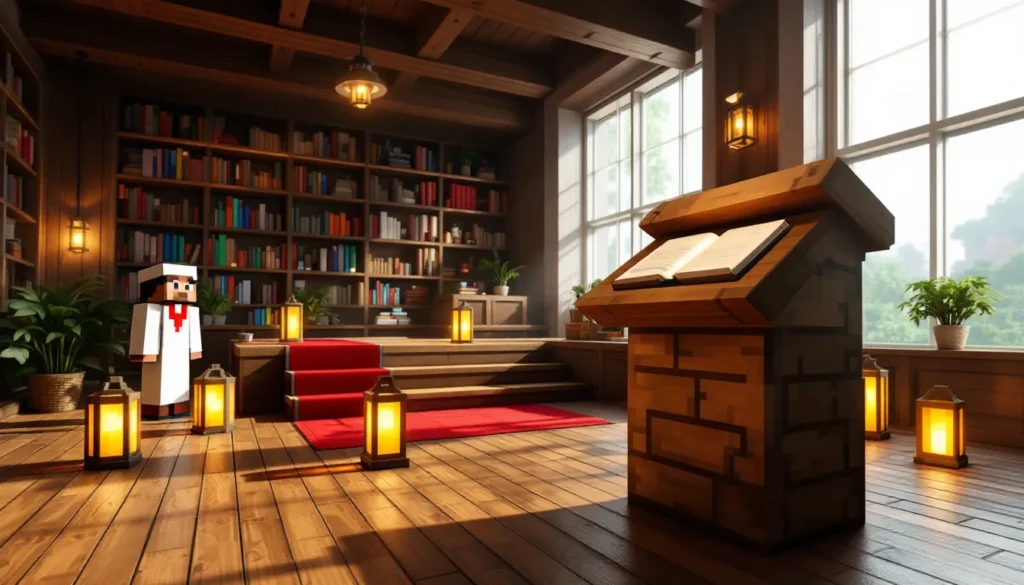
Visually, the lectern resembles a wooden podium with a slanted top, designed to hold a book at a readable angle. It’s one of the few blocks in Minecraft that can store a single item, specifically, a written book or book and quill, and allow multiple players to read it simultaneously without picking it up.
Lecterns are naturally generated in village libraries, spawning alongside bookshelves and other decorative blocks. If you’re starting a new world or exploring villages early on, you might stumble across one before you craft your own. But since they’re easy to make and incredibly useful, most players end up crafting several for different purposes.
How to Craft a Lectern in Minecraft
Required Materials and Where to Find Them
Crafting a lectern requires only two materials: wooden slabs and a bookshelf. Here’s what you need:
- 4 Wooden Slabs (any type: oak, spruce, birch, jungle, acacia, dark oak, mangrove, cherry, bamboo, crimson, or warped)
- 1 Bookshelf
Wooden slabs are straightforward, chop down trees, convert logs to planks, then craft planks into slabs using a crafting table. You’ll get 6 slabs per 3 planks.
Bookshelves require a bit more setup. Each bookshelf needs 3 books and 6 wooden planks. To craft books, you’ll need 3 paper (made from 3 sugar cane) and 1 leather (dropped by cows, horses, llamas, or hoglins). If you’re early game and short on leather, raid village libraries or stronghold libraries for pre-made bookshelves instead of crafting them from scratch.
Step-by-Step Crafting Recipe
Once you’ve gathered your materials, open a crafting table and arrange them as follows:
- Place 1 wooden slab in the top-left slot.
- Place 1 wooden slab in the top-right slot.
- Place 1 wooden slab in the top-middle slot.
- Place 1 bookshelf in the center slot.
- Place 1 wooden slab in the bottom-middle slot.
The result is 1 lectern. The recipe is simple but requires a bookshelf, so make sure you’ve got a steady supply of paper and leather if you plan to craft multiple lecterns for a trading hall or large library build.
How to Use a Lectern: Core Functions Explained
Placing and Reading Books on a Lectern
To use a lectern, place it on any solid block by right-clicking (or the equivalent action on console/mobile). Once placed, you can interact with it by right-clicking again to open the interface.
The lectern has a single slot for a written book or book and quill. Drop the book into the slot, and it’ll display on the lectern’s surface. Any player can then approach the lectern and read the book without removing it. This makes lecterns ideal for sharing information in multiplayer servers, think rule books, lore entries, or quest instructions that everyone can access.
When reading a book on a lectern, you’ll see navigation arrows to flip through pages. The lectern tracks which page is currently displayed, which becomes important when dealing with redstone mechanics (more on that later).
To remove a book from a lectern, simply right-click the lectern while sneaking (Shift + right-click on PC). The book pops out as a dropped item, ready to be picked up.
Using Lecterns with Written Books and Book and Quills
Lecterns accept two types of books: written books (signed and finalized) and books and quills (still editable). Both function the same way on the lectern, they can be read by anyone who interacts with the block.
But, placing a book and quill on a lectern doesn’t allow players to edit it directly from the lectern interface. You’ll need to remove it, edit it in your inventory, and place it back. This is a common mistake players make when setting up community notice boards.
Written books are the preferred choice for permanent displays. Once signed, they can’t be edited, making them perfect for game guides and walkthroughs that need to stay consistent across a server. If you’re documenting complex builds or sharing strategies, a written book on a lectern is the cleanest solution.
Lecterns and Villager Job Sites: Becoming a Librarian
How Lecterns Assign Librarian Villagers
Lecterns serve as the job site block for librarian villagers. When an unemployed villager (one without a profession) encounters an unclaimed lectern, they’ll pathfind to it and claim it as their workstation, transforming into a librarian.
This happens during work hours (in-game daytime). The villager will walk up to the lectern, green particles will appear, and their clothing will change to reflect the librarian profession, a white robe with a red book tucked under one arm.
Once a lectern is claimed, it’s locked to that villager. Breaking the lectern will cause the librarian to lose their profession (unless they’ve been traded with at least once, which locks in their profession permanently). This mechanic is the foundation of villager trading halls, where players set up rows of lecterns to create multiple librarians for enchanted book trades.
For optimal results, place lecterns in enclosed spaces with beds nearby. Villagers need access to beds to restock trades, and controlling their pathfinding ensures they claim the correct lectern instead of wandering off to a neighbor’s workstation.
Best Villager Trading Strategies with Librarians
Librarians are among the most valuable villagers in Minecraft because they trade enchanted books, the only renewable source for rare enchantments like Mending, Silk Touch, and high-level Protection or Sharpness.
Here’s how to maximize your librarian trades:
- Cycle for desired enchantments: When a villager first becomes a librarian, their trades are randomized. If you don’t like the enchanted book they offer, break the lectern before trading with them, then replace it. The villager will lose and regain the profession, resetting their trades. Repeat until you get the enchantment you want.
- Lock in Mending ASAP: Mending is the most sought-after enchantment. Once you find a librarian offering it, trade with them immediately to lock in the profession and trades permanently.
- Discount with curing: Transform a zombie villager back into a normal villager using a splash potion of weakness and a golden apple. Cured villagers offer massive trade discounts, Mending books can drop to as low as 1 emerald.
- Bulk emerald farming: Librarians buy paper (3 paper = 1 emerald at base prices). Sugar cane farms feeding into auto-crafters or manual paper production can generate emeralds quickly for further trades.
Librarian trading halls are a staple of late-game Minecraft efficiency, and lecterns are the backbone of that system.
Redstone Mechanics: Using Lecterns as Signal Outputs
How Lectern Redstone Signals Work
Lecterns emit a redstone comparator signal based on the page currently displayed in the book. This is one of the more technical but creative uses of the block.
Here’s how it works:
- Place a redstone comparator facing away from the lectern.
- When a book is placed on the lectern, the comparator outputs a signal strength proportional to the page number being viewed.
- Signal strength = ⌊(current page / total pages) × 15⌋ (rounded down).
For example, if a book has 15 pages and a player is viewing page 8, the signal strength is roughly 8. This allows for page-specific outputs, enabling redstone contraptions that respond to user input.
Lecterns also output a brief redstone pulse when a player turns a page. This pulse can trigger observers, which detect block updates and emit a signal when the lectern state changes.
Creative Redstone Contraptions with Lecterns
Lecterns open up unique redstone possibilities that aren’t easily replicated with other blocks. Some popular applications include:
- Interactive map rooms: Place a lectern with a book describing different locations. Turning to specific pages activates hidden doors, lights up corresponding areas on a map wall, or triggers sound effects.
- Password locks: Create a book with specific instructions (e.g., “Turn to page 7”). Only when the player reaches that page does the comparator output the correct signal strength to unlock a door.
- Custom minigames: Use lecterns as input devices for quiz games or choose-your-own-adventure setups. Different pages trigger different outcomes via redstone.
- Automated farms and sorters: Page changes can control item flow, activate pistons, or toggle different farm modes.
Many build guides and meta analysis showcases feature lectern-based redstone systems, especially in adventure maps and puzzle designs. The combination of comparator output and observer pulse detection makes lecterns surprisingly versatile for redstone engineers.
Creative Ways to Use Lecterns in Your Builds
Library and Study Room Designs
Lecterns are the natural centerpiece of any Minecraft library or study. Pair them with bookshelves, carpets, lanterns, and wooden furniture to create cozy reading nooks or grand archive halls.
Some design ideas:
- Central reading tables: Arrange lecterns in rows on top of wooden slabs or trapdoors to mimic reading desks. Add chairs made from stairs and signs.
- Corner study areas: Place a single lectern flanked by bookshelves, with a small chandelier overhead and a carpet underfoot.
- Multi-story libraries: Use ladders or staircases to connect levels, with lecterns placed on balconies or alcoves for a layered, scholarly aesthetic.
- Enchanting rooms: Combine lecterns with enchanting tables and bookshelves to create a magical study that’s both functional and atmospheric.
Lecterns add a level of detail that makes builds feel lived-in. They’re small, don’t obstruct movement, and visually signal “this is a place for knowledge.”
Lecterns as Decorative Elements
Beyond libraries, lecterns work well in a variety of themed builds:
- Churches and chapels: Place a lectern at the altar with a written book containing in-game lore or server rules.
- Wizard towers: Scatter lecterns among potion brewing stands, cauldrons, and enchanting tables for an arcane lab vibe.
- Classrooms: Line up lecterns in front of rows of chairs for a schoolhouse or university lecture hall.
- Courtrooms: Use a lectern as a podium for a judge or speaker in a government or roleplay build.
- Museums and exhibits: Place lecterns beside displays with written books describing the exhibits, perfect for adventure maps or server spawn areas.
Lecterns are one of the few blocks that hold items visibly, making them excellent for storytelling and immersion in custom maps. Many players on Nintendo Switch guides and builds use lecterns to add interactive elements to their creative worlds.
Advanced Tips and Tricks for Lectern Usage
Lectern Commands and Multiplayer Applications
In multiplayer servers and realms, lecterns shine as communication tools. Admins and builders often use them to display server rules, event schedules, quest instructions, or welcome messages at spawn.
Here are some advanced multiplayer tricks:
- Command book integration (Java Edition): Use commands to give players written books with clickable text (via JSON formatting). Place these on lecterns for interactive tutorials or teleportation hubs.
- Centralized information hubs: Create a “town hall” with multiple lecterns, each holding a book on different topics, rules, events, player shops, etc.
- Roleplay and lore: On roleplay servers, lecterns can hold character backstories, kingdom laws, or historical records, adding depth to the world.
- Tutorial areas: New player zones can use lecterns to explain game mechanics, server-specific plugins, or build guidelines without needing constant staff intervention.
Lecterns persist across server restarts, so any book placed on one will remain there unless manually removed. This makes them reliable for permanent displays.
Common Mistakes to Avoid When Using Lecterns
Even experienced players sometimes run into issues with lecterns. Here are the most common pitfalls and how to avoid them:
- Breaking a claimed lectern too soon: If you break a lectern that a villager has claimed but you haven’t traded with them yet, their profession resets. This is useful for cycling trades but frustrating if you accidentally break the wrong one. Always mark or label lecterns in trading halls.
- Expecting books and quills to be editable on the lectern: You can’t edit a book and quill while it’s on a lectern. You must remove it, edit, and replace it.
- Forgetting lecterns need a solid block: Lecterns can’t float. They require a full solid block beneath them (not a slab, fence, or glass pane).
- Ignoring comparator signal calculation: When building redstone contraptions, remember the signal strength formula. A book with an odd number of pages won’t give perfectly even signal distribution.
- Not protecting lecterns in public areas: On multiplayer servers, anyone can remove a book from a lectern (even with sneaking). Use plugins or build protection to prevent griefing in communal areas.
Conclusion
The lectern might not have the flashy appeal of a beacon or the raw power of an enchanting table, but it’s quietly indispensable for anyone serious about villager trading, redstone engineering, or building immersive worlds. From cycling librarian trades for Mending books to designing interactive redstone contraptions, the lectern proves that even simple blocks can have serious depth.
Whether you’re setting up your first trading hall, crafting a grand library, or experimenting with comparator-based redstone, the lectern is a block worth mastering. Grab some slabs and a bookshelf, and start putting this underrated tool to work in your world.