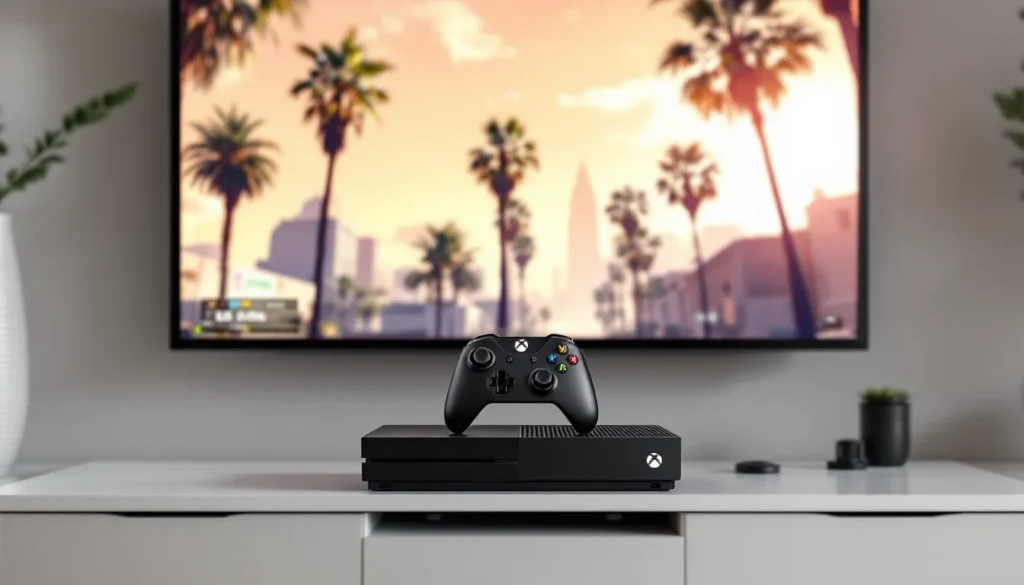
Thirteen years after its initial release, Grand Theft Auto V remains one of the most-played titles on Xbox One consoles. Whether you’re a returning player from the Xbox 360 era or jumping into Los Santos for the first time, understanding the Xbox One-specific features, performance characteristics, and optimization strategies can transform your experience. With GTA Online still receiving regular content updates in 2026 and the single-player campaign maintaining its reputation as one of gaming’s most ambitious narratives, there’s never been a better time to explore what makes this port tick. This guide covers everything from installation logistics to advanced troubleshooting, with a particular focus on how the game performs across different Xbox One hardware variants and whether it’s worth sticking with last-gen or making the jump to Series X/S.
Table of Contents
ToggleKey Takeaways
- GTA V Xbox One remains a fully playable platform in 2026 with access to all current GTA Online content, though expect 30fps performance and 90-120 second load times compared to faster Series X/S hardware.
- The Cayo Perico Heist is the most efficient money-making method in GTA Online, earning $1.1M-$1.9M per 45-60 minute run once you’ve learned the patterns.
- GTA V on Xbox One requires 65-70GB of storage space, and connecting an external SSD via USB 3.0 can reduce load times by 40-50% compared to the internal hard drive.
- Story Mode features three playable protagonists with unique special abilities that directly impact how you approach missions, particularly during heists where you choose between Loud and Smart strategies.
- Managing NAT type settings and clearing cache can resolve most GTA Online connection issues, while upgrading to Xbox Series X/S offers 60fps performance but isn’t necessary to enjoy the core gameplay experience.
- The Criminal Enterprise Starter Pack ($1M bonus cash and free property) significantly accelerates early-game progression compared to grinding from scratch without it.
Why GTA V Still Dominates Xbox One Gaming
The longevity of GTA V on Xbox One isn’t accidental, it’s the result of Rockstar’s consistent content delivery and the game’s fundamental design philosophy. The Xbox One version, released in November 2014, brought significant visual upgrades over the Xbox 360 original: native 1080p resolution on Xbox One and enhanced textures that made Los Santos feel genuinely next-gen at the time.
What keeps players coming back is the dual appeal of the story mode’s replayability and GTA Online’s evolving meta. The single-player campaign offers roughly 30-35 hours of main story content, but completionists can easily sink 80+ hours into side activities, strangers and freaks missions, and collectible hunting. Meanwhile, GTA Online has transformed into a live-service juggernaut with heists, businesses, properties, and seasonal events that keep the playerbase engaged.
The Xbox One community remains active even in 2026, partly because not everyone has upgraded to Series X/S, and partly because cross-generational lobbies in GTA Online keep the playerbase unified. Loading times may be longer than on current-gen hardware, but the core gameplay experience is identical where it matters most. For players on a budget or those with extensive Xbox One game libraries, GTA V continues to deliver hundreds of hours of value without requiring new hardware.
Getting Started: Installation and Setup on Xbox One
System Requirements and Storage Considerations
GTA V on Xbox One requires approximately 65-70GB of storage space after all updates and patches as of early 2026. The base game clocks in around 50GB, but mandatory title updates and additional GTA Online content push that figure higher. If you’re running a base Xbox One with a 500GB hard drive, you’ll need to be strategic about game management, GTA V alone consumes roughly 14% of your total capacity.
All Xbox One variants (base, S, and X) can run GTA V without issue, but load times vary significantly. The standard Xbox One and Xbox One S share similar HDD performance, resulting in initial load times of 90-120 seconds when booting into Story Mode and 2-3 minutes when connecting to GTA Online. The Xbox One X with its faster HDD shaves 15-20 seconds off those times, though it’s still noticeably slower than the SSD-equipped Series consoles.
One storage optimization trick: if you primarily play GTA Online and rarely touch Story Mode, you can’t selectively uninstall the campaign to save space, it’s all or nothing. But, clearing the Xbox One cache (hold the power button for 10 seconds until full shutdown, then restart) can reclaim a few hundred MB of temporary files and occasionally improve performance.
Digital vs. Physical Edition: Which Should You Choose?
In 2026, the digital edition is the more practical choice for most Xbox One players. The Microsoft Store regularly runs sales on GTA V, often bundling it with GTA Online’s Criminal Enterprise Starter Pack for $20-30. Digital ownership means no disc swapping, instant access, and the ability to pre-load updates overnight using the Xbox One’s standby download feature.
The physical edition still has merit for collectors or those with unreliable internet connections. Keep in mind that even with a disc, you’re looking at a massive day-one patch, the disc contains an outdated 2014 build, and you’ll need to download 40-50GB of updates before you can access current content. The disc primarily serves as a license key and partial installer.
One advantage of physical: resale value. If you decide GTA V isn’t for you after 20 hours, you can recoup $10-15 selling the disc. Digital purchases are permanent and non-transferable. For Game Pass subscribers, it’s worth noting that GTA V has never appeared on Game Pass and likely never will, so you’ll need to purchase it outright regardless of format.
Story Mode: Mastering the Campaign Experience
Understanding the Three Protagonist System
GTA V’s headline feature is its trio of playable characters: Michael De Santa, the retired bank robber dealing with a midlife crisis: Franklin Clinton, the repo man looking to escape street-level crime: and Trevor Philips, the unhinged career criminal living in Blaine County. The game lets you switch between them outside of missions, and certain story missions require all three working in tandem.
Each character has a Special Ability tied to their personality. Michael’s ability slows time during combat, making him ideal for tight shootouts. Franklin’s ability slows time while driving, perfect for high-speed chases and precision maneuvering. Trevor’s ability reduces damage taken and increases damage dealt, turning him into a temporary tank. These abilities recharge over time and can be upgraded through story progression.
The switching mechanic isn’t just a gimmick, it affects how you approach missions. In heists, you might start as Michael coordinating the crew, switch to Franklin for a driving segment, then jump to Trevor for explosive cleanup. Outside missions, each character has unique side activities: Michael can do yoga and therapy sessions, Franklin can take Chop (his dog) for walks and complete racing missions, and Trevor can engage in rampage challenges. Managing all three characters’ stats, properties, and side content is key to 100% completion.
Essential Tips for Completing Story Missions
Story missions in GTA V offer multiple approaches, especially during heists where you’ll choose between Loud and Smart options. The Smart approach typically involves more setup missions but results in cleaner execution and often better payouts. The Loud approach is faster to initiate but riskier and may result in lower crew cuts.
For optimal mission performance on Xbox One, manage your crew carefully. Hiring cheap, inexperienced crew members saves money upfront but increases the chance of failure and lost revenue. Experienced crew members like Paige Harris (hacker), Chef (gunman), and Taliana Martinez (driver) cost more but perform flawlessly. There’s a middle path: hire lower-level crew early so they gain experience and improve their stats for future heists while still taking smaller cuts.
Don’t rush the main story. Side missions and activities unlock special vehicles, weapons, and abilities that make later missions significantly easier. For example, completing the tactical shooting challenges at the Ammu-Nation shooting ranges before the Bureau Raid heist will improve your accuracy stats, making the firefight segments more manageable.
Unlocking All Achievements and Collectibles
GTA V on Xbox One features 77 achievements worth 1,750 Gamerscore (the extra 750G comes from additional achievements added post-launch). Many are story-related and unmissable, but several require specific actions: Close Shave requires flying under 50 bridges, Altruist Acolyte involves delivering hitchhikers to a cannibal cult, and Solid Gold, Baby. requires earning 70 Gold Medals on story missions and strangers missions.
Collectibles are the real time sink. There are 50 Spaceship Parts, 50 Letter Scraps, 30 Nuclear Waste barrels, and 50 Stunt Jumps scattered across the map. The Xbox One version includes a checklist in the pause menu that tracks your progress, but it doesn’t show exact locations. Many players use interactive maps or video guides to speed up the process.
One often-overlooked achievement: Three Man Army. This requires surviving three minutes with a Wanted Level of 3 stars with all three protagonists alive and together. The easiest method is to trigger a 3-star Wanted Level, then immediately drive to the train tunnel near Palmer-Taylor Power Station. Park inside the tunnel and wait out the timer, cops rarely venture deep into the tunnel, making it a safe spot to run out the clock.
GTA Online on Xbox One: Features and Gameplay
Setting Up Your Online Character and Crew
Your first steps in GTA Online involve creating a character and completing Lamar’s introductory missions. Character appearance is largely cosmetic, but you’ll want to choose carefully, changing your appearance later costs $100,000 in-game. After the tutorial, you’ll unlock the ability to purchase properties, vehicles, and businesses.
Joining or creating a Crew provides tangible benefits: +5% bonus RP in missions, unique crew emblems on vehicles, and access to private crew sessions where you can grind business content without interference from random players. Xbox One players should seek out active crews since many GTA Online activities scale in difficulty and payout based on player count. Heists, in particular, require 2-4 players and benefit from coordinated communication, Xbox Party Chat is essential for serious heist crews.
Your starting money matters. If you purchased the Criminal Enterprise Starter Pack (bundled with most digital editions in 2026), you’ll receive $1,000,000 bonus cash, a free property, and several vehicles. Without it, the early grind is rough, expect to run contact missions and participate in double-money events to scrape together your first $500K for a high-end apartment, which unlocks heist hosting.
Heists, Missions, and Money-Making Strategies
GTA Online’s economy revolves around businesses and heists. The most efficient money-making strategies in 2026 involve passive income from businesses combined with active heist grinding. Here’s the priority ladder:
-
The Cayo Perico Heist remains the single best solo money-making method, paying $1.1M-$1.9M per run depending on target and approach. It can be completed in 45-60 minutes once you’ve memorized the patterns.
-
The Diamond Casino Heist requires 2-4 players but offers $1.5M-$2.5M splits with proper execution. The silent approach yields the highest payout.
-
Passive businesses like the Bunker, Nightclub, and Agency generate income while you play other content. These require significant upfront investment ($2M-$5M fully upgraded) but pay for themselves within 10-15 hours of play.
-
Contact missions and Adversary Modes during double-money weeks can net $100K-$200K per hour, not lucrative compared to heists, but require less coordination and are accessible to new players.
Avoid time-wasting activities. Simeon’s vehicle exports pay poorly ($5K-$9K per vehicle). Armored truck robberies are pure RNG and rarely worth the ammo. Focus on structured content with guaranteed payouts, and always check weekly updates on GTA Online events to maximize efficiency during bonus periods.
Navigating the Latest Online Updates in 2026
As of early 2026, GTA Online has entered what Rockstar calls the “Los Santos Stories” phase, smaller, episodic content drops focused on narrative missions rather than massive DLC expansions. The most recent update, The Chop Shop, introduced vehicle theft contracts and a new social space in the LS Car Meet expansion.
Xbox One players have full access to all current content, but the experience differs from Series X/S in key ways. Lobby sizes remain capped at 30 players on Xbox One (versus 32 on current-gen in certain modes), and certain graphical enhancements like improved reflections and vegetation density are exclusive to the expanded and enhanced version. Functionally, though, you’re not missing gameplay content, just visual polish.
One critical change: Rockstar has phased out legacy account transfers. If you played GTA Online on Xbox 360 and hoped to transfer your character to Xbox One in 2026, that ship has sailed, transfers closed in March 2022. But, if you upgrade from Xbox One to Series X/S, your progress carries forward automatically through Xbox cloud saves. No action required.
Performance and Graphics: Xbox One vs. Xbox One X
Frame Rate and Resolution Differences
GTA V targets 1080p at 30fps on the base Xbox One and Xbox One S, with minor resolution scaling during intense action sequences. In practice, you’ll see dips to 900p in areas like downtown Los Santos during heavy traffic or explosions. The Xbox One X pushes native 4K resolution (3840×2160) while maintaining the same 30fps target, with more consistent frame pacing and fewer resolution drops.
The performance gap is most noticeable in GTA Online. Dense lobbies with multiple players triggering explosions, driving at high speeds, and engaging in combat can push the base Xbox One into the mid-20fps range, creating noticeable input lag. The Xbox One X handles these scenarios better, rarely dropping below 28fps even in chaotic firefights.
One limitation across all Xbox One variants: the game is hardcapped at 30fps. There’s no performance mode option to prioritize frame rate over resolution, and modding on Xbox One isn’t possible, so you can’t unlock the frame rate through unofficial means. If 60fps is a priority, upgrading to next-gen hardware is the only path, the Series S runs GTA V at 1080p/60fps, and Series X hits 4K/60fps in the expanded and enhanced edition.
Optimizing Settings for the Best Experience
GTA V on Xbox One offers limited in-game graphics options, no sliders for shadow quality, texture detail, or effects like on PC. But, a few adjustments can improve the experience:
Audio Settings: Switch to “Night Mode” if playing late with a surround system. This compresses dynamic range, making dialogue clearer without explosions rattling the walls.
Display Settings: Enable “Colorblind Mode” if you struggle to distinguish the minimap icons in GTA Online. This adjusts color palettes for better visibility.
Camera Settings: Reduce “Camera Shake” in the settings menu. The default heavy shake during explosions and car crashes can make combat disorienting, especially at 30fps.
Outside the game, make sure your Xbox One has adequate ventilation. GTA V pushes the hardware hard, and thermal throttling during extended sessions can cause performance degradation. If you’re on a base Xbox One from 2013-2015, consider compressed air dusting of the vents every few months, dust buildup is a common cause of frame drops and crashes in demanding titles.
Controls and Gameplay Mechanics for Xbox One
Mastering Combat and Driving Controls
GTA V on Xbox One uses the Standard FPS control scheme by default, mapping aim to LT and fire to RT. The right stick controls camera and aiming, with soft auto-aim enabled in single-player and adjustable in GTA Online lobbies. Many competitive players disable auto-aim for free-aim lobbies, which separate you from auto-aim users and often result in more skilled player pools.
Shooting mechanics favor cover usage. Tap A near walls or objects to enter cover, then use LT to aim and pop out. Blind fire (firing from cover without aiming) is almost useless, accuracy drops to near zero. Instead, aim, fire in controlled bursts, then return to cover. The combat rifle and carbine rifle are go-to weapons for their balance of accuracy, fire rate, and ammo capacity.
Driving controls default to triggers for acceleration (RT) and braking (LT), with the left stick steering. Mastering the handbrake (A button) is crucial for tight turns and drifting. Franklin’s special ability slows time during driving, making it easier to thread through traffic or execute precision turns during missions. For motorcycles, hold A mid-air to perform a wheelie on landing, which can help absorb impact and prevent ragdolling.
One advanced technique: brake-boosting in races. Tap the brake (LT) just before hitting the accelerator out of a turn to shift weight forward, giving you sharper turn-in and faster corner exit. This requires practice but shaves seconds off lap times in GTA Online races.
Customizing Controller Settings and Sensitivity
The settings menu offers several control customizations that dramatically impact gameplay feel:
Aim Sensitivity: Default is 4/10 for both first-person and third-person. Most competitive players bump this to 6-7 for faster target acquisition, though it requires adjustment time. Test in single-player before committing to the change in GTA Online.
Look Sensitivity: Controls how fast the camera pans when you’re not aiming. Setting this higher (7-8) makes it easier to check surroundings quickly during combat or while driving.
First-Person Control Type: If you play in first-person mode, switch from “Default” to “Standard FPS” scheme. This remaps controls to match Call of Duty or Battlefield layouts, making muscle memory transfer easier.
Targeting Mode: Options include Traditional GTA (full auto-aim), Assisted Aim (partial auto-aim with lock-on), and Free Aim (no assistance). Your choice affects which GTA Online lobbies you can join, free-aim lobbies are generally more challenging but also more rewarding for skilled players.
For players with accessibility needs or those coming from other shooters, the Xbox Accessories app allows button remapping at the system level. Mapping crouch to a paddle on an Elite controller or remapping sprint to a more comfortable button can reduce hand fatigue during long sessions.
Common Issues and Troubleshooting on Xbox One
Fixing Connection and Loading Problems
GTA Online connection issues on Xbox One typically stem from NAT type restrictions or server congestion. If you’re seeing “Timed out locating session” or “Unable to connect to Rockstar game services” errors, start with these steps:
-
Check NAT Type: Go to Xbox Settings > Network > Test NAT Type. You want “Open” NAT. “Moderate” can cause lobby connectivity issues, and “Strict” will make joining friends nearly impossible. Port forwarding through your router (ports 3074, 6672, and 61455-61458) usually resolves this.
-
Clear Cache: Hold the Xbox power button until full shutdown, unplug the power brick for 30 seconds, then reconnect. This clears temporary network data and often resolves weird connection bugs.
-
Check Rockstar Server Status: Sometimes it’s not you, it’s them. Rockstar’s services occasionally go down for maintenance or suffer outages. The official Rockstar Support Twitter and third-party sites like DownDetector show real-time status.
Loading time problems are usually storage-related. If GTA Online takes 5+ minutes to load, your Xbox One hard drive may be fragmented or failing. Moving the game to an external SSD (connected via USB 3.0) can cut load times by 40-50% compared to the internal HDD. External SSDs are relatively affordable in 2026, a 500GB SSD runs $50-$70 and dramatically improves overall system performance.
Dealing with Crashes and Performance Issues
GTA V crashes on Xbox One fall into a few common patterns:
“Rockstar Games Launcher exited unexpectedly” during startup usually indicates corrupted game data. Uninstall and reinstall the game (your save data is stored separately and won’t be affected). If you’re digital, this is a 65GB re-download, so plan accordingly.
Random crashes to dashboard during gameplay often point to overheating or RAM issues. Ensure your Xbox One has proper ventilation, at least 4-6 inches clearance on all sides. If crashes persist after confirming good airflow, the console’s thermal paste may have degraded (common in 2013-2015 models), requiring professional servicing.
Freezing during GTA Online session transitions (moving between free roam and missions) can be mitigated by reducing the number of background apps. Close any suspended games or apps, and disable auto-upload of captures (Settings > Preferences > Capture & Share) to free up system resources.
One nuclear option: factory reset while keeping games and apps. Go to Settings > System > Console Info > Reset Console, then choose “Reset and keep my games & apps.” This wipes the OS and reinstalls a clean version while preserving your installed games. It resolves deep system-level issues but should be a last resort.
Should You Upgrade to Xbox Series X/S or Stick with Xbox One?
The value proposition of upgrading depends on how much you play GTA V and what else you intend to play. The Xbox Series S ($299 as of 2026) offers the smallest upgrade path: 1080p/60fps in GTA V’s expanded and enhanced edition, SSD loading (Story Mode boots in 30 seconds vs. 90 seconds on Xbox One), and access to current-gen exclusives. But, the 512GB storage fills quickly, and you’ll need to manage space aggressively or buy an expensive proprietary expansion card.
The Xbox Series X ($499) delivers the full experience: 4K/60fps with ray-traced reflections (in performance RT mode), native HDR support, and 1TB internal storage. Loading into GTA Online drops from 2-3 minutes on Xbox One to roughly 45 seconds on Series X. If you’re playing other demanding titles like Starfield or Forza Motorsport, the Series X is a substantial leap.
But here’s the reality: Xbox One still plays GTA V perfectly fine. The experience is last-gen, sure, but the gameplay is identical. You’re not locked out of content, and cross-gen lobbies mean you can still play with friends on Series consoles. If your budget is tight or you primarily play older titles and indie games, sticking with Xbox One in 2026 remains viable.
One financial strategy: sell your Xbox One to offset upgrade costs. A base Xbox One in good condition fetches $80-$120 on eBay or Facebook Marketplace in 2026. An Xbox One X in white or special edition can pull $180-$220. That covers a significant chunk of a Series S purchase or about half a Series X.
If you’re uncertain, wait for a sale. Microsoft runs frequent promotions during Black Friday, holiday seasons, and summer sales where you can find Series S bundles for $249 or Series X for $449. There’s no rush, GTA V isn’t going anywhere, and Rockstar has confirmed continued support for the Xbox One version through at least late 2026.
Conclusion
GTA V on Xbox One in 2026 remains a testament to Rockstar’s technical craftsmanship and ongoing content support. Whether you’re exploring the nuances of the three-protagonist campaign, grinding businesses in GTA Online, or simply causing chaos in Los Santos, the Xbox One version delivers the core experience that’s captivated players for over a decade. Performance limitations exist, 30fps caps, longer load times, and occasional frame drops in busy scenarios, but they don’t fundamentally diminish the gameplay.
For players committed to Xbox One hardware, optimization and smart troubleshooting can smooth out most issues. Those considering an upgrade will find meaningful improvements in load times and frame rate on Series X/S, but the decision hinges on your broader gaming library and budget. Whichever path you choose, Los Santos isn’t going anywhere, and there’s still plenty of virtual mayhem waiting.