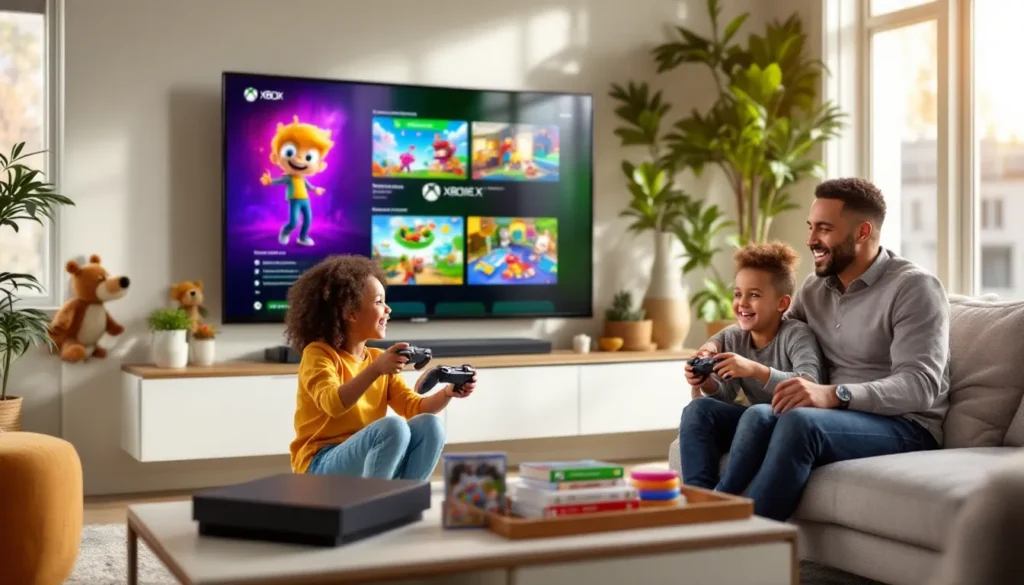
Finding the right Xbox games for kids isn’t just about grabbing whatever’s on sale or has the flashiest trailer. Parents want titles that entertain without the worry, while kids want experiences that actually hold their attention. The good news? Xbox’s library in 2026 is packed with options that hit both marks, games that are genuinely fun, safe, and built with younger players in mind.
Whether you’re shopping for a preschooler who’s just getting used to a controller, a 10-year-old looking for the next big adventure, or a teen ready for deeper stories and co-op sessions, Xbox delivers. With Game Pass sweetening the deal and robust parental controls baked into the console, it’s easier than ever to curate a kid-friendly gaming setup. Let’s break down the best picks across age groups, what to watch for when choosing titles, and how to make sure the Xbox experience stays positive for everyone involved.
Table of Contents
ToggleKey Takeaways
- Xbox games for kids thrive on the Game Pass subscription, which eliminates the financial risk of trying new titles while providing access to hundreds of kid-friendly games across all age groups.
- Xbox’s robust parental controls through the Family Settings app let you set screen time limits, approve purchases, restrict content by age rating, and monitor activity remotely—giving you peace of mind without complex setup.
- Age-appropriate Xbox games for kids range from simple platformers like Super Lucky’s Tale for ages 3-7 to story-driven RPGs and challenging action games for teens, with backward compatibility expanding your available library.
- Educational titles like Minecraft, Kerbal Space Program, and Human Resource Machine teach problem-solving and computational thinking naturally through gameplay without feeling like classroom assignments.
- Stay engaged rather than hovering by playing alongside your kids, asking about their gaming interests, and using activity reports as conversation starters to build gaming into a positive, shared family experience.
- Cross-platform play on many Xbox games lets kids team up with friends on PlayStation, Switch, or PC, while Xbox Cloud Gaming extends play to tablets and phones when the TV is occupied.
Why Xbox Is a Great Gaming Platform for Kids
Xbox has quietly become one of the most parent-friendly ecosystems in gaming. The Xbox Series X and Series S both support backward compatibility, meaning kids can jump into a massive library spanning multiple console generations. That’s hundreds of titles, many of them perfect for younger audiences, without needing to track down old hardware.
Xbox Game Pass is the real MVP here. For a monthly subscription, families get access to a rotating catalog of games that includes everything from LEGO franchises to indie darlings and AAA adventures. It’s like Netflix for games, and it removes the pressure of committing $60 to a title your kid might bounce off in 20 minutes. Want to try something new? Download it, test it out, move on if it doesn’t stick.
Then there’s the parental control suite. Xbox lets you set screen time limits, restrict content by age rating, approve game purchases, and even monitor playtime through the Xbox Family Settings app. You can lock down the console without feeling like you need a degree in network security. That peace of mind matters when you’re handing a controller to a seven-year-old.
Cross-platform play is another win. Many Xbox games let kids team up with friends on PlayStation, Switch, or PC, so they’re not locked into one ecosystem. And with Xbox Cloud Gaming, some titles can be played on tablets or phones when the TV’s occupied, helpful for families juggling multiple kids and screen time negotiations.
What to Look for When Choosing Xbox Games for Kids
Picking the right game isn’t just about slapping a kid-friendly label on it and calling it a day. There’s nuance here, age ratings, content type, and how a game fits into your family’s approach to screen time and learning all play a role.
Age Ratings and ESRB Guidelines
The ESRB rating system is your first stop. E (Everyone) means the game is appropriate for all ages, think minimal to no violence, no strong language, and no mature themes. E10+ bumps things up slightly, allowing for mild cartoon violence and some comic mischief. T (Teen) is where you start seeing more intense action, occasional blood, and themes that might require a conversation.
Don’t just skim the letter rating. Check the content descriptors listed on the game’s page or box. A game rated E10+ for “fantasy violence” is a different beast than one rated the same for “crude humor.” Know what you’re okay with, and don’t assume all games in the same category are created equal.
Parental Controls and Safety Features
Xbox’s parental controls go deep. You can restrict online communication so kids can only chat with approved friends, block access to the web browser, and prevent them from seeing or buying mature-rated content. The Xbox Family Settings app (available on iOS and Android) gives you a real-time dashboard of what your kids are playing and for how long.
Set up a child account under your Microsoft Family group. This lets you approve friend requests, review activity reports, and adjust settings remotely. If your kid wants to buy a game or add-on, you’ll get a notification, no surprise charges on your credit card.
Educational Value vs. Pure Entertainment
Not every game needs to teach algebra, but some titles sneak in problem-solving, creativity, or spatial reasoning without feeling like assignments. Games like Minecraft build computational thinking and collaboration skills. Puzzle games sharpen logic. Even some action-adventure titles require planning and resource management.
That said, pure entertainment has value too. Sometimes kids just need to blow off steam with a goofy racing game or a colorful platformer. Balance is key, don’t stress if not every session is a STEM lesson in disguise.
Best Xbox Games for Young Kids (Ages 3-7)
This age group needs games with simple controls, bright visuals, and forgiving gameplay. They’re still building fine motor skills, so anything requiring frame-perfect timing or complex button combos is out. Look for titles that reward exploration and experimentation without punishing mistakes.
Platformers and Adventure Games
Super Lucky’s Tale is a standout. It’s a 3D platformer with a cute fox protagonist, straightforward level design, and zero pressure. Kids can collect coins, hop across platforms, and dig through dirt without worrying about punishing difficulty spikes. The game’s pacing is gentle, and the visuals are Saturday-morning-cartoon cheerful.
Paw Patrol: Grand Prix delivers exactly what the title promises, kart racing with the Paw Patrol crew. It’s Mario Kart-lite with training wheels. Controls are dead simple, races are short, and there’s no real way to lose. Perfect for the preschool crowd who just want to see Chase and Marshall zoom around a track.
Spyro Reignited Trilogy works for slightly older kids in this range (6-7). The purple dragon’s adventures are colorful, low-stakes, and packed with collectibles. The remastered visuals pop on modern displays, and the gameplay loop, explore, collect gems, roast bad guys with fire breath, is immediately satisfying. Parents who grew up with the original will get a nostalgia hit, too.
Creative and Building Games
Minecraft (rated E10+ but accessible for younger kids with supervision) is the obvious pick. Creative Mode eliminates survival pressure, letting kids build whatever they imagine. It’s digital LEGO with infinite blocks. Many families find it easier to manage than the survival mode’s mobs and hunger mechanics, especially for video games for 10 year olds who are just learning the ropes.
LEGO Builder’s Journey is more puzzle-focused but incredibly tactile. Kids manipulate LEGO bricks to solve environmental puzzles, and the game’s minimalist design keeps things from getting overwhelming. It’s quiet, contemplative, and gorgeous, more art installation than traditional game, but young kids respond well to its hands-on approach.
Top Xbox Games for Elementary-Aged Kids (Ages 8-12)
This is where things open up. Kids in this age range can handle more complex mechanics, longer play sessions, and storylines with actual stakes. They’re building gaming literacy, learning to manage inventories, follow quest markers, and experiment with different playstyles. The backward compatibility feature means many Xbox One games for kids remain accessible on newer hardware.
Action-Adventure Titles
Ori and the Will of the Wisps walks the line between accessible and challenging. It’s a gorgeous Metroidvania with tight platforming, a heartfelt story, and a difficulty curve that teaches without punishing. The visuals are painterly, the music is sweeping, and the gameplay demands just enough precision to feel rewarding. Recommended for kids comfortable with 2D platformers who want something with more depth.
Sea of Thieves is a pirate sandbox that encourages cooperation and creative problem-solving. Kids can sail ships, hunt for treasure, and engage in cartoonish combat with skeletons and rival crews. The game’s community can be hit-or-miss, so set up a private crew with family or trusted friends. The absence of explicit violence (defeated players respawn quickly) keeps things lighthearted, even during PvP encounters.
Grounded shrinks kids down to ant size and drops them in a suburban backyard. It’s survival-lite with base-building, crafting, and exploration. The premise, think Honey, I Shrunk the Kids meets survival game, hooks kids immediately, and the cooperative mode lets siblings or friends tackle challenges together. There’s optional combat, but the game emphasizes discovery over violence.
Sports and Racing Games
Forza Horizon 5 offers an accessible entry point for racing fans. The game’s difficulty assists and rewind feature make it forgiving for beginners, while the open-world structure lets kids cruise around Mexico at their own pace. The car roster is enormous, and the seasonal events keep things fresh. It’s rated E, with no crashes resulting in injury, just flashy, consequence-free speed.
Rocket League is soccer with rocket-powered cars, and it’s immediately comprehensible even if your kid has never watched a real soccer match. Matches are five minutes, the skill ceiling is high but the floor is low, and cross-platform play means they can team up with friends on any console. The game is free-to-play, which sweetens the deal.
FIFA 23 (or whatever the latest entry is in 2026) remains the go-to for kids into actual soccer. Career mode lets them manage a team, Ultimate Team offers a card-collecting meta-game, and local multiplayer is perfect for sibling rivalries. Just watch the microtransaction rabbit hole in Ultimate Team, set spending limits through parental controls.
Puzzle and Strategy Games
Portal 2 is a first-person puzzle game that teaches spatial reasoning and physics without feeling like a classroom exercise. The writing is sharp and funny, and the cooperative campaign is brilliant for parent-child or sibling duos. Each player has their own portal gun, and puzzles require genuine teamwork to solve. It’s rated E10+ for mild fantasy violence, but the tone is comedic rather than menacing.
Overcooked. 2 is chaotic kitchen management disguised as a party game. Players work together to prepare and serve meals under escalating time pressure, and the result is equal parts hilarious and maddening. It’s a great exercise in communication and delegation, and the colorful art style keeps frustration from boiling over into genuine anger. Newer entries in the series continue to deliver family-friendly chaos as Game Rant regularly highlights in their co-op roundups.
Unpacking is a zen puzzle game about unpacking boxes and arranging belongings in new living spaces. There’s no failure state, no timer, just the quiet satisfaction of finding the right spot for every item. It’s unexpectedly emotional, a story told entirely through objects, and it’s perfect for kids who want something low-stress after a long school day.
Recommended Xbox Games for Teens (Ages 13+)
Teens want deeper mechanics, more complex narratives, and games that respect their growing sophistication. They’re ready for titles with moral choices, nuanced characters, and systems that reward mastery. The T rating opens up a wider catalog, though you’ll still want to review content descriptors for anything that might cross your family’s personal lines.
Cooperative and Multiplayer Experiences
It Takes Two is a co-op-only adventure built around a couple navigating their relationship while transformed into dolls. It’s rated T for some mild language and fantasy violence, but the core themes, communication, compromise, working through conflict, are surprisingly mature. The gameplay constantly reinvents itself, with each chapter introducing new mechanics. It requires two players (local or online), so it’s perfect for teens and a parent or friend.
Halo: The Master Chief Collection bundles six campaigns spanning decades of sci-fi shooter history. The campaigns support co-op, and the multiplayer is a rite of passage for many teen gamers. Teens often enjoy upgrading their setup with accessories like an Xbox One Bluetooth headset for clearer team communication during intense matches. Combat is intense but bloodless, and the lore runs deep for kids who want to jump into expanded universe material.
A Way Out is another co-op narrative game, this time about a prison escape and the unlikely friendship that develops between two convicts. It’s rated M for language, violence, and some mature themes, so preview it first. But for families comfortable with that content, it’s a gripping cinematic experience that uses split-screen even during cutscenes to show both characters’ perspectives.
Story-Driven and RPG Games
Hollow Knight is a challenging Metroidvania with gorgeous hand-drawn art and tight combat. It doesn’t hold your hand, exploration is non-linear, death has consequences, and boss fights demand pattern recognition and execution. But teens looking for a game that respects their skill will find it incredibly rewarding. The world-building is environmental and subtle, with lore scattered in item descriptions and NPC dialogue.
Stardew Valley is the ultimate cozy RPG. Teens inherit a farm and spend their days planting crops, raising animals, fishing, and building relationships with townsfolk. There’s no fail state, no timer, just the gentle rhythm of seasons and the satisfaction of turning a weedy plot into a thriving homestead. It’s also a stealth lesson in time management and resource allocation.
The Outer Worlds is a first-person RPG set in a corporate-controlled space colony. It’s rated M for violence and language, so it’s for older teens. The writing is sharp and satirical, player choice genuinely impacts the story, and the combat is flexible enough to support multiple playstyles. It’s like a lighter, more accessible version of Fallout, with a brighter color palette and shorter runtime.
Family-Friendly Multiplayer Games for All Ages
Some games transcend age brackets, offering something for everyone in the household. These are the titles that work just as well for a six-year-old as they do for a parent or teenage sibling, perfect for family game nights or weekends when everyone’s fighting over the TV.
Fall Guys is chaotic battle royale filtered through a game show lens. Players control jellybean-shaped avatars stumbling through obstacle courses, and the physics-based comedy writes itself. Rounds are short, there’s zero violence, and losing is funny rather than frustrating. Cross-platform play means grandparents on PC can join kids on Xbox.
Minecraft Dungeons strips Minecraft down to a loot-driven dungeon crawler. Combat is simple but satisfying, loot drops are frequent, and the difficulty scales based on player count. It’s perfect for families who want co-op action without the freeform chaos of mainline Minecraft. The game’s accessibility options include auto-aim and damage scaling, so younger players won’t get left behind.
Human: Fall Flat is a physics-based puzzle game where wobbly humanoid characters navigate surreal environments. The controls are intentionally clumsy, which turns every task into slapstick comedy. Up to eight players can join online, and the workshop-style level editor means there’s always new content. It’s laugh-out-loud funny in a way that works for all ages.
Disney Dreamlight Valley launched in 2023 but continues to receive updates in 2026. It’s part life sim, part adventure game, set in a world populated by Disney and Pixar characters. Players farm, fish, decorate, and complete quests for Mickey, Elsa, and others. The art style is warm and inviting, and the gameplay loop is deeply relaxing. Fans of narrative-driven experiences can find similar vibes across titles covered by sites like Windows Central, which frequently updates coverage on Xbox family games.
Just Dance 2026 remains the go-to for active family fun. Pop in the latest hits, follow the on-screen dancer, and rack up points. It’s exercise disguised as entertainment, and it works on everyone from preschoolers to grandparents. The game supports up to six players with the Kinect alternative or smartphone app tracking.
Educational and STEM-Focused Xbox Games
Not every learning game feels like thinly veiled assignments. The best educational titles teach through play, rewarding curiosity and experimentation without waving a “this is good for you” flag in kids’ faces.
Kerbal Space Program lets kids build and launch rockets, manage orbital mechanics, and explore a miniature solar system. The physics are accurate enough to teach real aerospace concepts, but the cartoonish Kerbal astronauts keep things from feeling dry. It’s trial-and-error learning at its best, rockets explode, missions fail, but each failure teaches something new. Recommended for kids 10 and up with an interest in space or engineering.
Human Resource Machine and 7 Billion Humans are puzzle games that teach basic programming concepts. Players write simple assembly-like code to solve challenges, dragging commands to automate tasks. The difficulty ramps up quickly, but the “aha.” moments when a solution clicks are genuine dopamine hits. These games won’t turn your kid into a software engineer overnight, but they build computational thinking in a low-stakes environment.
Rush: A Disney Pixar Adventure is a kinetic platformer featuring worlds and characters from The Incredibles, Ratatouille, Up, and other Pixar films. It’s designed for Kinect but works with a controller on newer hardware. The game encourages physical activity and cooperative problem-solving, and the Pixar branding makes it an easy sell for younger kids.
Zoo Tycoon (the 2013 Xbox One version) teaches resource management, ecology, and conservation. Kids design zoo habitats, manage budgets, and keep animals and visitors happy. It’s SimCity with elephants, and the educational content, animal facts, conservation challenges, integrates naturally into the gameplay. The performance upgrades on newer consoles make even older titles like this run smoother than ever.
How to Set Up Xbox for a Kid-Friendly Experience
Handing a kid an Xbox without configuring parental controls is like giving them the car keys before they’ve learned to drive. A little upfront setup goes a long way toward ensuring the experience stays positive, safe, and age-appropriate.
Setting Up Family Accounts and Screen Time Limits
Start by creating a Microsoft Family group through your Microsoft account. Add your child’s account as a member (you can create a child account during setup if they don’t have one). This links their profile to yours and gives you oversight of their activity.
From the Xbox Family Settings app, you can set daily or weekly screen time limits. You’ll choose how many hours per day your kid can play, and the console will enforce those limits automatically. You can also set specific time windows, allowing play only after assignments hours or on weekends. The app sends notifications when time is running low, which helps avoid mid-game meltdowns when the console suddenly locks.
Create a custom schedule if your family’s routine varies by day. Maybe Fridays get an extra hour, or school nights cap at 90 minutes. The flexibility here is solid, and remote adjustments mean you can tweak limits without needing physical access to the console.
Managing In-Game Purchases and Subscriptions
Kids and microtransactions are a dangerous combination. Set your child’s account to require approval for all purchases. This means any time they try to buy a game, DLC, or in-game currency, you get a notification on your phone. You can approve or deny with a tap.
Disable stored payment methods on the child account if you want an extra layer of protection. This forces every transaction to go through your account, eliminating the risk of accidental or impulsive spending.
For Game Pass subscriptions, you control whether the child account can access the service at all. If you’ve got Ultimate, everyone in your family group can use it, but you can restrict mature-rated titles from appearing in their library. Regularly reviewing what games they’ve downloaded is a good habit, not to spy, but to stay aware of what they’re engaging with and to spark conversations about their interests.
Conclusion
Xbox in 2026 offers parents more control, more options, and frankly, better games for kids than ever before. From preschoolers taking their first wobbly steps into gaming to teens ready for sprawling RPGs and competitive multiplayer, the catalog covers it all. Game Pass removes the financial risk of trying new titles, backward compatibility keeps classics accessible, and the parental control suite gives you the tools to shape the experience around your family’s values.
The key is staying involved, not hovering, but engaged. Play alongside your kids when you can, ask questions about what they’re into, and use the activity reports as conversation starters rather than surveillance tools. Gaming can be a positive, creative, skill-building part of childhood when handled thoughtfully. With the right mix of age-appropriate titles and sensible guardrails, Xbox becomes less a babysitter and more a shared experience that brings everyone to the couch.