
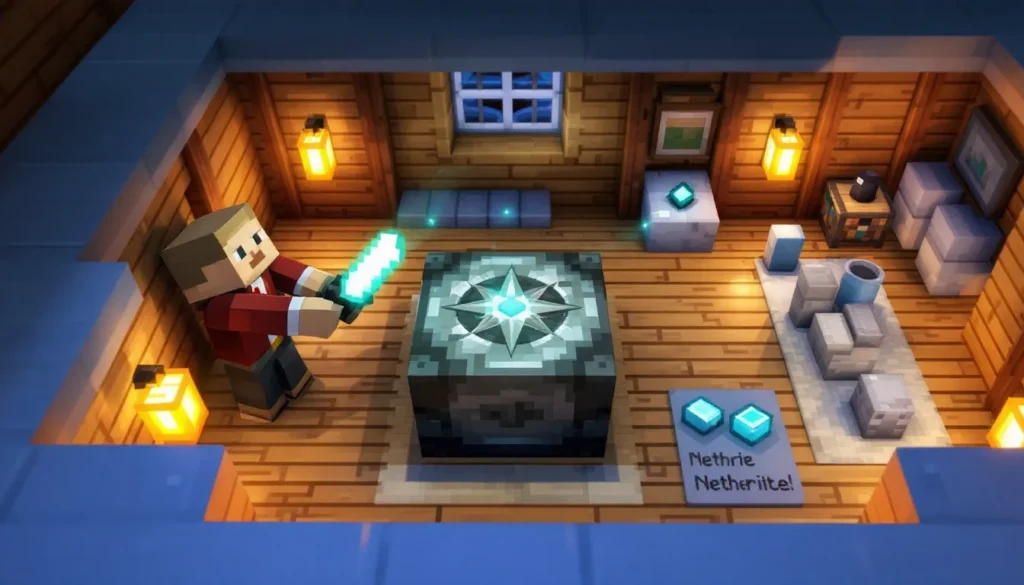
Getting lost in Minecraft is a rite of passage. You wander thousands of blocks from spawn, dig deep into caves, or brave the Nether only to realize you’ve got no idea how to get back home. Sure, you can jot down coordinates or build pillar markers, but there’s a cleaner, more immersive solution: the lodestone.
Introduced in the Nether Update (version 1.16), lodestones transformed navigation by letting players bind compasses to specific locations. Instead of always pointing to your world spawn, a lodestone compass guides you to wherever you’ve placed the lodestone block, whether that’s your main base, a remote farm, or a safe portal in the Nether.
This guide breaks down everything you need to know about lodestones in 2026. You’ll learn what a lodestone does in minecraft, how to craft one, and how to leverage multiple lodestone compasses to build a navigation network that rivals any GPS. If you’re tired of respawning halfway across the map or losing track of your best builds, it’s time to master the lodestone.
Table of Contents
ToggleKey Takeaways
- A lodestone in Minecraft is a utility block that binds compasses to fixed locations, letting you navigate to specific waypoints instead of relying on spawn coordinates or memorization.
- Crafting a lodestone requires 1 Netherite Ingot (a mid-to-late game resource) and 8 Chiseled Stone Bricks, making it a valuable investment for serious navigation infrastructure.
- Lodestone compasses work perfectly within the same dimension and track across the Overworld and Nether, though they spin uselessly in the End or when you travel to a different dimension than the lodestone.
- Build a multi-compass navigation network by binding multiple lodestone compasses to different waypoints, renaming them in an anvil, and storing them in shulker boxes for instant access to any major location.
- Protect your lodestones from destruction by encasing them in obsidian, lighting their surroundings, and keeping backup coordinates written down in case a creeper explosion or TNT blast destroys your waypoint system.
- A lodestone compass system is more immersive and reusable than coordinates, maps, or beacons for long-distance ground travel and recurring navigation in survival worlds.
Understanding the Lodestone Block: Minecraft’s Ultimate Navigation Tool
A lodestone is a crafted utility block that lets you anchor a compass to a fixed location. Unlike the standard compass, which points to your world spawn or the last bed you slept in, a lodestone compass always points to the lodestone itself, regardless of distance or dimension (with some caveats we’ll cover later).
Once placed, a lodestone can be used repeatedly. Right-click (or interact) with a compass on the lodestone, and the compass binds to that block. The compass tooltip changes to “Lodestone Compass,” and its needle now tracks the lodestone’s coordinates. You can carry multiple lodestone compasses to navigate between different waypoints, making it invaluable for sprawling survival worlds.
Lodestones don’t consume durability and won’t break from use. They can be mined with any pickaxe (even wooden), and they’ll drop themselves, so relocating one is straightforward. The only catch: if the lodestone is destroyed or removed, any compass bound to it stops working, it spins aimlessly until you bind it to a new lodestone.
What Makes Lodestones Unique Compared to Other Navigation Methods
Minecraft offers several ways to navigate: coordinates (F3 on Java, or enabled in settings on Bedrock), maps, banners on maps, and the recovery compass added in 1.19. So why bother with lodestones?
Precision without UI clutter. Lodestones let you navigate immersively without opening menus or memorizing X/Z coords. You glance at your hotbar compass and follow the needle, simple and in-character for a survival playthrough.
Multi-point navigation. Coordinates work for one destination at a time. Maps show terrain but require constant referencing. Lodestone compasses let you maintain a library of waypoints: one for your base, another for your Nether hub, a third for a distant ocean monument. Switch compasses, and you’ve switched destinations.
Cross-dimensional tracking (sort of). A lodestone compass tracks your lodestone across the Overworld and Nether, though the compass spins uselessly if you take it to the End or if you’re in a different dimension than the lodestone. Still, it’s the only compass variant that works reliably in the Nether, a huge advantage when setting up safe routes through lava-filled biomes.
Compare this to the recovery compass, which points to your last death location and only functions if you’re carrying an Echo Shard. Recovery compasses are reactive (you need to die first), while lodestone compasses are proactive, you set the waypoint on your terms.
How to Craft a Lodestone: Required Materials and Recipe
Crafting a lodestone isn’t a day-one project. You’ll need 1 Netherite Ingot and 8 Chiseled Stone Bricks. The Netherite requirement means you’ll be mining Ancient Debris in the Nether before you can build your first lodestone, expect this to be a mid-to-late game item.
Gathering Netherite Ingots for Your Lodestone
Netherite Ingots are made by combining 4 Netherite Scraps with 4 Gold Ingots in a crafting table or smithing table. Netherite Scraps come from smelting Ancient Debris, a rare ore found in the Nether between Y-levels 8 and 22 (with a higher concentration around Y=15).
Ancient Debris is blast-resistant and only mineable with a diamond or netherite pickaxe. Bed mining, placing and detonating beds in the Nether, is a popular (if risky) method to expose debris quickly. TNT mining works too, but it’s resource-intensive. Most players mine long tunnels at Y=15, checking each exposed block.
Once you’ve smelted four scraps and gathered four gold ingots, combine them for one Netherite Ingot. One ingot makes one lodestone, so plan accordingly if you want a network of waypoints.
Finding and Mining Chiseled Stone Bricks
You can craft Chiseled Stone Bricks or find them in certain structures. The crafting route is simpler:
- Smelt Cobblestone into Stone in a furnace.
- Craft Stone into Stone Bricks (four stone = four stone bricks).
- Arrange 2 Stone Brick Slabs vertically in a crafting grid to produce 1 Chiseled Stone Brick.
You need 8 Chiseled Stone Bricks per lodestone, which translates to 16 stone brick slabs, or 8 stone bricks. That’s 8 stone total (16 cobblestone). It’s a minor grind, but far less demanding than the Netherite Ingot.
Alternatively, Chiseled Stone Bricks generate in jungle temples, some igloo basements, and ruined portals. If you’re exploring early, grab any you find, but crafting is usually faster.
Step-by-Step Crafting Process
Once you have your materials, open a crafting table and arrange:
- Top row: 3 Chiseled Stone Bricks
- Middle row: Chiseled Stone Brick, Netherite Ingot, Chiseled Stone Brick
- Bottom row: 3 Chiseled Stone Bricks
The Netherite Ingot sits in the center, surrounded by a ring of 8 Chiseled Stone Bricks. Shift-click the lodestone into your inventory, and you’re ready to set your first waypoint.
How to Use a Lodestone with a Compass
Using a minecraft lodestone is straightforward: place the lodestone block, then bind a compass to it.
- Place the lodestone where you want a permanent waypoint. It can be placed on any solid block face.
- Equip a regular compass. (Craft one with 4 Iron Ingots and 1 Redstone Dust if you don’t have one.)
- Right-click (or interact) on the lodestone with the compass in hand.
You’ll see an enchantment-table shimmer, and the compass transforms into a Lodestone Compass. Its tooltip now reads “Lodestone Compass” with the coordinates (on Java Edition) or a marker indicating it’s bound.
The needle immediately points to the lodestone’s location. Walk in the direction the needle points, and you’ll arrive at your lodestone. Simple.
Creating a Lodestone Compass for Precise Navigation
Each compass binds to one lodestone, but you can craft as many compasses as you have iron and redstone. A smart strategy is to color-code or label them (using an anvil to rename in Java Edition, or organizing in labeled shulker boxes).
For example:
- “Main Base” compass → lodestone at your primary build
- “Nether Hub” compass → lodestone in the Nether near your portal network
- “Guardian Farm” compass → lodestone at your ocean monument farm
- “End Portal” compass → lodestone near your stronghold entrance
Renaming compasses in an anvil costs 1 XP level for the first rename. Keep a stack of compasses in an Ender Chest, and you’ve got instant access to every major location in your world.
One caveat: lodestone compasses don’t stack. Each one occupies an inventory slot, so plan your hotbar or invest in shulker boxes for organization.
How Lodestone Compasses Work Across Dimensions
Lodestone compasses track the lodestone even if you’re in a different dimension, kind of. Here’s how it breaks down:
- Same dimension: The compass points directly at the lodestone and displays an accurate heading.
- Different dimension (Overworld ↔ Nether): The compass spins randomly. It won’t point anywhere useful until you return to the lodestone’s dimension.
- The End: Lodestone compasses (and all compasses) spin uselessly in the End.
This behavior is similar to standard compasses in the Nether. The upside? Once you’re back in the correct dimension, the compass reorients immediately. No need to rebind.
Many players explore community-created navigation mods that add coordinate overlays or minimap waypoints, but lodestone compasses remain the purest vanilla solution for immersive, multi-point navigation.
Strategic Lodestone Placement: Best Locations and Uses
Where you place lodestones determines how useful they are. Random placement is a waste of Netherite, treat each lodestone as a critical infrastructure node.
Marking Your Home Base and Important Builds
Your main base is the obvious first lodestone. Place it at the entrance, near your bed, or in a central courtyard. This guarantees you can always navigate home, even if you respawn thousands of blocks away after an unfortunate lava incident.
For sprawling mega-bases, consider multiple lodestones: one at the main entrance, another at your storage hall, a third near your farms. Rename compasses accordingly, and you’ll never wander aimlessly through your own build.
If you’ve built a secondary outpost (villager trading hall, raid farm, or seasonal build), drop a lodestone there too. It’s better to have the waypoint and not need it than to lose the outpost’s coordinates after a session break.
Setting Up Navigation Networks in the Nether
The Nether is where lodestones truly shine. Standard compasses spin uselessly there, but lodestone compasses work perfectly, as long as you’re in the Nether with a Nether-placed lodestone.
Build a Nether hub at your central portal, then place lodestones at key locations:
- Fortress waypoint: Never lose a Nether fortress again. Place a lodestone near the blaze spawner or the main structure.
- Bastion remnants: Mark bastions for return trips to loot Netherite or Piglin trades.
- Biome transitions: Drop lodestones at the edges of rare biomes (Warped Forest, Basalt Delta) so you can return for specific blocks.
Some advanced players build ice highways (packed or blue ice tunnels) in the Nether for 8:1 travel ratios. Place lodestones at each highway junction, and you’ll never overshoot your exit portal.
Creating Waypoints for Mining Operations and Resource Farms
Deep mining operations, especially in 1.18+ worlds with massive caves, benefit from lodestone markers. Place one at your main mining elevator or cave entrance, then carry the bound compass. When your inventory fills, follow the compass back to your storage system.
For remote farms (witch hut, slime chunk, mushroom island), a lodestone ensures you’ll never spend 20 minutes wandering the ocean looking for that one island. Drop the lodestone, bind a compass, and file it in your Ender Chest.
Expedition planning is easier too. Before a long journey, place a lodestone at your departure point with a labeled compass. If you get lost or die, you’ll have a direct line back.
Advanced Lodestone Strategies for Survival and Exploration
Once you’ve mastered basic lodestone use, these advanced tactics will elevate your navigation game.
Multi-Compass Systems for Complex Navigation
A single lodestone compass is helpful. A network of them is game-changing. Here’s how to scale:
- Build a compass library. Dedicate a chest (or better, a shulker box) to renamed lodestone compasses.
- Use color-coded naming conventions. For example: “[RED] Main Base,” “[BLUE] Nether Hub,” “[GREEN] Guardian Farm.” The bracket tags make them easy to scan.
- Store backup compasses in your Ender Chest. If you die in lava and lose your main compass, you’ll still have access to your waypoints.
- Place lodestones defensively. Encase them in obsidian or bedrock (in creative testing worlds) so accidental TNT or creeper explosions don’t destroy your waypoints.
Some players take this further: they build a compass room with item frames displaying each lodestone compass and signs listing coordinates. It doubles as both functional navigation and a decorative flex.
Using Lodestones in Hardcore and Permadeath Modes
In Hardcore mode, dying means game over, so lodestone compasses become survival insurance. Players often deploy detailed strategies on game guides and wikis to avoid permadeath scenarios, and lodestones are a core tactic.
Place lodestones at:
- Your spawn point (or bed), so you always know the safe zone.
- Nether portals, reducing the risk of getting lost in the Nether and burning to death.
- Escape routes near dangerous builds (End portal, ocean monument, ancient city).
Carry a dedicated “Home” compass at all times. If a fight goes sideways, retreat and follow the compass. It’s not cowardice, it’s smart Hardcore play.
Protecting Your Lodestones from Destruction
Lodestones have 3.5 blast resistance, the same as cobblestone. A creeper explosion or TNT blast will destroy them. If a lodestone breaks, all compasses bound to it become useless.
Protect your lodestones by:
- Encasing them in obsidian or crying obsidian. Leave one face exposed for compass binding.
- Building in secure, mob-proof structures. Lodestones in open fields are vulnerable.
- Lighting the area. Mobs won’t spawn and accidentally push TNT minecarts or trigger explosions.
- Backing up coordinates. Write down (or screenshot) the X/Y/Z of each lodestone. If one breaks, you can return to the location and replace it.
On multiplayer servers, consider hiding lodestones underground or in obscure locations. If another player destroys your lodestone, your entire navigation system collapses.
Common Lodestone Mistakes and How to Avoid Them
Even experienced players trip over lodestone quirks. Here are the biggest mistakes and how to dodge them:
Mistake 1: Placing lodestones in temporary structures. If you tear down a build and forget about the lodestone inside, your compass points to rubble, or worse, a hole in the ground. Always mark lodestone locations visually (beacon beam, conspicuous pillar) or in a written log.
Mistake 2: Breaking a lodestone without rebinding compasses. Once destroyed, the lodestone can’t be “repaired.” You’ll need to place a new one and re-bind every compass that pointed to the old one. This is especially painful in multiplayer when ten players share a lodestone at spawn.
Mistake 3: Forgetting dimension rules. Taking a Nether lodestone compass to the Overworld makes it spin uselessly. Label your compasses by dimension, or keep Overworld and Nether compasses in separate shulker boxes.
Mistake 4: Not renaming compasses. After binding three or four lodestone compasses, they all look identical in your inventory. Rename them in an anvil immediately after binding. Future you will thank present you.
Mistake 5: Assuming lodestone compasses work in the End. They don’t. No compass (lodestone, standard, or recovery) functions in the End. Use blocks, coordinates, or memorization for End navigation.
Mistake 6: Wasting Netherite on redundant lodestones. Before crafting another lodestone, ask: “Will I actually use this waypoint regularly?” Netherite is precious. Prioritize high-traffic locations (main base, Nether hub) before niche builds.
Lodestone vs. Traditional Navigation: When to Use Each Method
Lodestone compasses aren’t always the best tool. Here’s how they stack up against alternatives:
Coordinates (F3 menu or settings): Instant, free, and precise. Coordinates beat lodestones for quick reference or one-off trips. But they break immersion and require memorizing or writing down numbers. Lodestones win for recurring navigation and role-play-focused players.
Maps and banners: Maps provide terrain context that compasses lack. You can mark maps with banners to label points of interest. Maps are ideal for exploration and when you need to see biome layouts. Lodestone compasses are better for direct, long-distance travel where you don’t care about the terrain between you and your destination.
Beacons: Beacons create visible vertical light pillars. They’re excellent for marking locations at a distance but require a Nether Star (Wither kill), pyramid base, and line-of-sight. Lodestones are cheaper and work underground or across oceans where beacons aren’t visible.
Elytra and fireworks: With an Elytra, you fly faster than you can follow a compass. Coordinates or maps become more practical. Lodestones are still useful for ground travel or emergency navigation if you run out of rockets.
Recovery Compass vs. Lodestone Compass: Key Differences
Added in the Wild Update (1.19), the recovery compass points to your last death location. It’s crafted with 8 Echo Shards (found in Ancient Cities) and 1 regular compass.
Recovery compasses are reactive, they help you retrieve loot after dying. Lodestone compasses are proactive, they guide you to places you’ve chosen. Both have niche uses:
- Recovery compass: Best for dangerous expeditions (Ancient Cities, End fights) where death is likely and you need to recover items quickly. Players exploring late-game content and boss strategies often rely on recovery compasses for high-stakes loot retrieval.
- Lodestone compass: Better for routine navigation, marking permanent bases, and building a reusable waypoint network.
Many players carry both: a lodestone compass for navigation and a recovery compass in an Ender Chest for emergencies.
Conclusion
Lodestones transform Minecraft navigation from a memorization chore into a streamlined system. Whether you’re linking a multi-portal Nether hub, marking distant farms, or ensuring you never lose your Hardcore base, lodestones provide precision and flexibility that coordinates and maps can’t match.
The upfront cost, one Netherite Ingot and eight Chiseled Stone Bricks, might seem steep, but the payoff is worth it. A single lodestone and compass can guide you home from anywhere in the dimension. A network of lodestone compasses turns your survival world into a connected, navigable space where every build is just a compass glance away.
Start with a lodestone at your main base and one in your Nether hub. As your world grows, expand your network. Rename compasses, protect your lodestones, and keep backups in your Ender Chest. Before long, you’ll wonder how you ever navigated without them.