The Xbox One generation might’ve officially passed the torch to Series X
|
S, but that doesn’t mean it’s time to count last-gen out. In fact, 2026 is shaping up to be one of the best years to pick up a used Xbox One. Prices have dropped to budget-friendly levels, the game library is massive and proven, and backward compatibility means you’re getting access to titles that span decades. Whether you’re looking for an affordable way to jump into Game Pass, need a secondary console for the bedroom, or just want to revisit Red Dead Redemption 2 without dropping $500 on new hardware, buying used is a smart play.
This guide cuts through the noise and delivers exactly what you need to know: which models are worth your cash, where to find the best deals, how to inspect a console before handing over money, and what fair pricing looks like in today’s market. No fluff, no sales pitches, just practical advice from someone who’s been through the used console grind.
Table of Contents
ToggleKey Takeaways
- Buying a used Xbox One in 2026 delivers exceptional value, with models available under $150, making it an affordable entry point to Game Pass and hundreds of backward-compatible titles spanning three console generations.
- The Xbox One S represents the best overall choice for most buyers, offering 4K video playback, HDR gaming support, and a compact design for $120–$180 used, while the One X provides native 4K gaming performance for those with premium displays.
- Always inspect a used Xbox One in person before purchase, testing the power-on sequence, disc drive functionality, video output, and game performance for at least 15 minutes to identify overheating or hardware failures.
- Fair pricing for used Xbox One consoles ranges from $80–$100 for original models to $180–$260 for One X units, with storage capacity, condition, and included accessories significantly affecting resale value.
- Prioritize external storage expansion and proper ventilation setup after purchase, as modern games consume 100GB+ and dust accumulation causes overheating issues that degrade console longevity.
- Retail refurbished consoles from GameStop or Best Buy cost slightly more but include 30–90 day warranties and testing guarantees, making them ideal for risk-averse buyers versus private marketplace sales.
Why Buying a Used Xbox One Still Makes Sense in 2026
Let’s be real: most people aren’t dropping $500 on a new console when they just want to play games. The used Xbox One market in 2026 offers something the latest hardware can’t, proven value at a fraction of the cost. Here’s why it’s still a legitimate option.
Affordable Entry Point for Gaming
You can snag a used Xbox One S for under $150 in most markets right now, sometimes even less if you’re patient and hunt local deals. Compare that to the Xbox Series S at $299 (if you can find it without a bundle), and the value proposition becomes clear. For casual gamers, parents buying for kids, or anyone on a tight budget, the Xbox One delivers AAA gaming experiences without the premium price tag.
The hardware still runs modern titles, sure, not at 120fps or with ray tracing, but games like Halo Infinite, Forza Horizon 5, and even newer releases continue to support last-gen consoles. You’re not getting cutting-edge performance, but you’re getting playable experiences at prices that won’t make your wallet cry.
Massive Library of Backward Compatible Games
This is where the Xbox One really shines. Thanks to Microsoft’s backward compatibility program, the console plays hundreds of Xbox 360 and original Xbox games. We’re talking classics like Star Wars: Knights of the Old Republic, Fable II, Red Dead Redemption, and the entire Gears of War trilogy.
Game Pass sweetens the deal even further. For $10.99/month (as of March 2026), you get access to hundreds of titles spanning three console generations. If you’ve never experienced the Xbox ecosystem, buying a used console is the cheapest entry ticket to one of gaming’s best subscription services. The Xbox One library remains robust and constantly updated with Game Pass additions.
Perfect Secondary Console for Exclusive Titles
Maybe you main on PlayStation or PC, but there are Xbox exclusives you’ve been curious about. A used Xbox One makes for an excellent secondary system, throw it in the bedroom, basement, or dorm room. You get access to Forza, Halo, Sea of Thieves, and the rest of Microsoft’s catalog without committing to a full ecosystem switch.
It’s also ideal for households with multiple gamers. Instead of fighting over the living room Series X, a used Xbox One in another room solves the problem for under $200. Both consoles can share digital libraries and Game Pass subscriptions under the same Microsoft account, making it a cost-effective way to expand your gaming setup.
Understanding Xbox One Models and Variants
Not all Xbox Ones are created equal. Microsoft released four distinct models over the console’s lifespan, each with different specs, features, and use cases. Knowing the differences helps you pick the right one for your needs and budget.
Xbox One (Original): What You Need to Know
The launch model from 2013, often called the “OG” or “fat” Xbox One, is the budget king of the lineup. It’s large, runs louder than newer models, and lacks 4K support, but it gets the job done. You’ll find these for $80-$120 depending on condition and included accessories.
Key specs:
- 1080p maximum output
- 500GB or 1TB internal storage
- External power brick (yes, it’s massive)
- HDMI 1.4 output
- Physical disc drive
The original Xbox One is fine for 1080p gaming on a budget, but the fan noise can be distracting during quiet game moments. If you’re buying one, make sure to test it thoroughly, these units are 10+ years old now, and wear-and-tear issues are common.
Xbox One S: The Sweet Spot for Most Buyers
Released in 2016, the Xbox One S is the model most buyers should target. It’s smaller, quieter, supports 4K video playback and HDR gaming, and ditched the external power brick. Performance-wise, it’s essentially identical to the original for gaming, but the quality-of-life improvements make it the better value.
Key specs:
- 4K UHD Blu-ray player
- HDR10 support for gaming and video
- 500GB, 1TB, or 2TB storage options
- 40% smaller than the original
- HDMI 2.0 output
Expect to pay $120-$180 for a used Xbox One S in good condition. The 4K Blu-ray capability alone makes this a solid media player, even if you’re not a hardcore gamer. It’s the all-around best choice for most people shopping used in 2026.
Xbox One X: Still the 4K Powerhouse
The Xbox One X launched in 2017 as the most powerful console of its generation. It delivers native 4K gaming, enhanced textures, better frame rates, and improved load times thanks to a faster CPU and GPU. If you have a 4K TV and want the best last-gen Xbox experience, this is it.
Key specs:
- 6 teraflops of GPU power
- Native 4K gaming at 30-60fps (game dependent)
- 1TB storage standard
- Enhanced versions of compatible games (Xbox One X Enhanced titles)
- Smaller footprint than the One S even though more power
Pricing hovers around $180-$250 for used units, sometimes more for pristine condition or special editions. That’s getting close to Series S territory, so weigh your options carefully. The One X can’t do 120fps or ray tracing, but it still punches above its weight for 4K gaming on a budget. Many gamers hunting for deals on eBay specifically target the One X for its performance-to-price ratio.
Xbox One S All-Digital Edition: Pros and Cons
Microsoft released this oddball variant in 2019, essentially an Xbox One S with the disc drive removed. It launched at $249, which made zero sense at the time, and that value proposition hasn’t improved much in the used market.
Pros:
- Slightly cheaper than a standard One S (usually $100-$140 used)
- Quieter with no disc drive mechanism
- Often bundled with digital game codes
Cons:
- No physical game support whatsoever
- No 4K Blu-ray playback
- Resale value of physical games doesn’t apply
- You’re locked into digital pricing
Unless you’re getting a killer deal or exclusively buy digital, skip this model and grab a standard One S instead. The disc drive adds flexibility you’ll appreciate down the line.
How to Inspect a Used Xbox One Before Buying
Buying used electronics always carries risk, but a thorough inspection minimizes the chances of getting stuck with a lemon. Here’s your pre-purchase checklist.
Physical Condition and Cosmetic Checks
Start with the outside. Surface scratches and scuffs are normal on used consoles and shouldn’t be deal-breakers, but look for red flags:
- Cracks or damage to the casing: Check corners, ports, and the top panel. Cracks suggest drops or rough handling.
- Ventilation ports: Make sure they’re not clogged with dust or debris. Heavy buildup indicates poor maintenance.
- Port condition: Inspect HDMI, USB, and power ports for bent pins or damage.
- Disc drive slot: Look for scratches or warping around the opening (if applicable).
A well-maintained console shows care from the previous owner. If it looks like it survived a tornado, walk away.
Testing Core Functionality and Performance
If buying in person, insist on powering up the console before money changes hands. Here’s what to test:
- Boot sequence: The console should power on quickly without error codes. Watch for the green Xbox logo and smooth transition to the dashboard.
- Disc drive (if equipped): Insert a disc and listen. The drive should accept and eject smoothly without grinding or clicking noises. Let a game load to verify read functionality.
- Video output: Check for clean HDMI signal. Look for artifacts, screen tearing, or discoloration that might indicate GPU issues.
- Fan noise: Some noise is normal, especially on original models, but excessive whining or rattling suggests fan bearing problems.
- Game performance: If possible, load a game and play for 5-10 minutes. Check for overheating, crashes, or stuttering.
According to hardware testing guides, letting a console run for at least 15 minutes reveals thermal issues that won’t show up in a quick boot test.
Controller and Accessory Inspection
Controllers wear out faster than consoles, so check them carefully:
- Stick drift: Move both analog sticks in full circles and check for unintended movement in the menu or a game.
- Button responsiveness: Press every button, including bumpers and triggers. Mushy or unresponsive buttons are common issues.
- Battery cover: Make sure it’s present and latches securely.
- Headset jack: Plug in headphones and test audio output.
A quality Xbox One controller costs $40-$60 new, so factor replacement into your budget if the included one is rough. Don’t assume you can fix stick drift, it usually requires soldering or full replacement.
Red Flags to Watch Out For
Some issues should make you walk away immediately:
- Won’t connect to Xbox Live: Could indicate a console ban. Banned consoles can’t access online features or the Microsoft Store.
- Error codes during boot: Especially E100, E200, or E105 errors. These often indicate hard drive or system failures.
- Overheating within minutes: The console should run cool for at least 20-30 minutes of gameplay. Immediate overheating suggests thermal paste degradation or fan failure.
- Seller won’t allow testing: If someone refuses to power on the console before sale, assume it’s broken.
- Too good to be true pricing: A One X for $50? It’s either stolen or broken. Don’t get scammed.
Where to Buy Used Xbox One Consoles
Not all marketplaces are created equal. Each has advantages and trade-offs depending on your priorities, price, protection, or convenience.
Online Marketplaces: eBay, Facebook Marketplace, and Craigslist
eBay offers the widest selection and buyer protection through its Money Back Guarantee, but you’re buying sight-unseen. Look for sellers with high ratings and detailed photos. Filter by “Accepted Returns” to add another layer of protection. Prices tend to run slightly higher than local options due to shipping costs.
Facebook Marketplace and Craigslist are goldmines for deals if you’re willing to meet in person. You can inspect before buying, negotiate face-to-face, and avoid shipping fees. But, there’s zero buyer protection if something goes wrong after the sale. Always meet in public places, police station parking lots are ideal, and bring a friend if possible.
Pro tip: Sellers often list consoles with spelling errors or vague descriptions (“Xbox console” instead of “Xbox One X”). Search variations can uncover deals others miss.
Retail Refurbished Options: GameStop and Best Buy
Retail chains offer refurbished consoles with limited warranties, adding peace of mind at a slight price premium. GameStop typically sells refurbished Xbox One S consoles for $179.99-$199.99 with a 30-day warranty. Best Buy occasionally stocks refurbished units through their Outlet section, though availability varies.
The trade-off? You’ll pay more than private sales, but you get tested hardware and return options if issues arise. If you’re risk-averse or buying for someone else (like a kid), the warranty is worth the extra cost. Reviews on tech buying guides consistently recommend retail refurbs for first-time buyers who want guarantees.
Local Game Stores and Pawn Shops
Independent game stores often have used console inventory at competitive prices, and staff can usually answer questions about condition and history. Prices fall between private sales and retail refurbs. You might also find bundle deals with games and accessories.
Pawn shops are hit-or-miss. You can sometimes score incredible deals on consoles people desperately needed to sell, but testing is rarely allowed, and return policies don’t exist. Only go this route if you know how to inspect hardware yourself and are comfortable with the risk. For common issues you might encounter, checking resources about Xbox One repair can prepare you for DIY fixes if needed.
Fair Pricing Guide for Used Xbox One in 2026
Prices fluctuate based on condition, location, and included accessories, but here’s what you should expect to pay in early 2026.
Current Market Values by Model
Based on recent sales data across eBay, Facebook Marketplace, and GameStop as of March 2026:
Xbox One (Original)
- Console only: $80-$100
- With controller and cables: $100-$120
- With games and accessories: $120-$150
Xbox One S
- Console only: $120-$140
- With controller and cables: $140-$160
- Bundle with games: $160-$180
- 2TB model: Add $20-$30
Xbox One X
- Console only: $180-$220
- With controller and cables: $200-$240
- Bundle with games: $220-$260
- Special editions (Scorpio, Project Scorpio): $250-$300+
Xbox One S All-Digital
- Console only: $100-$120
- With controller and cables: $120-$140
These are average fair market prices. You’ll find outliers on both ends, don’t assume the cheapest listing is a good deal if it’s broken, and don’t overpay just because a seller is firm on price.
Factors That Affect Pricing
Several variables push prices up or down:
- Storage capacity: 1TB and 2TB models command $20-$40 premiums over 500GB versions.
- Included accessories: Extra controllers, charging stations, and popular game bundles add value.
- Condition: “Like new” or “mint” consoles can fetch 20-30% more than heavily used units.
- Special editions: Limited colorways (White, Gears of War, Battlefield editions) carry collector premiums.
- Local market: Urban areas with more supply tend to have lower prices than rural markets.
- Timing: Prices often dip after holidays when people sell gift upgrades, and spike before major game releases.
Boxes and original packaging add $10-$20 to value for collectors, but most buyers don’t care.
Negotiation Tips for Getting the Best Deal
Most private sellers expect negotiation. Here’s how to get the best price without being insulting:
- Start 15-20% below asking price: If someone lists at $160, offer $130-$135. It’s reasonable and leaves room to meet in the middle.
- Point out flaws: “I noticed the controller has some stick drift, would you take $140 instead of $160?”
- Bundle requests: “Any chance you’d throw in that extra controller for the asking price?”
- Cash in hand: Mention you can meet immediately with cash. Motivated sellers appreciate quick, easy transactions.
- Walk away willingness: If the price doesn’t work, politely decline. Sellers often follow up with lower offers when other buyers fall through.
Avoid lowball offers (“$50 for your $200 console?”) that waste everyone’s time. Respect gets you further than hardball tactics.
Essential Accessories to Look For
A console-only purchase means you’ll need to buy accessories separately. Here’s what to prioritize and what you can skip.
Controllers and Charging Solutions
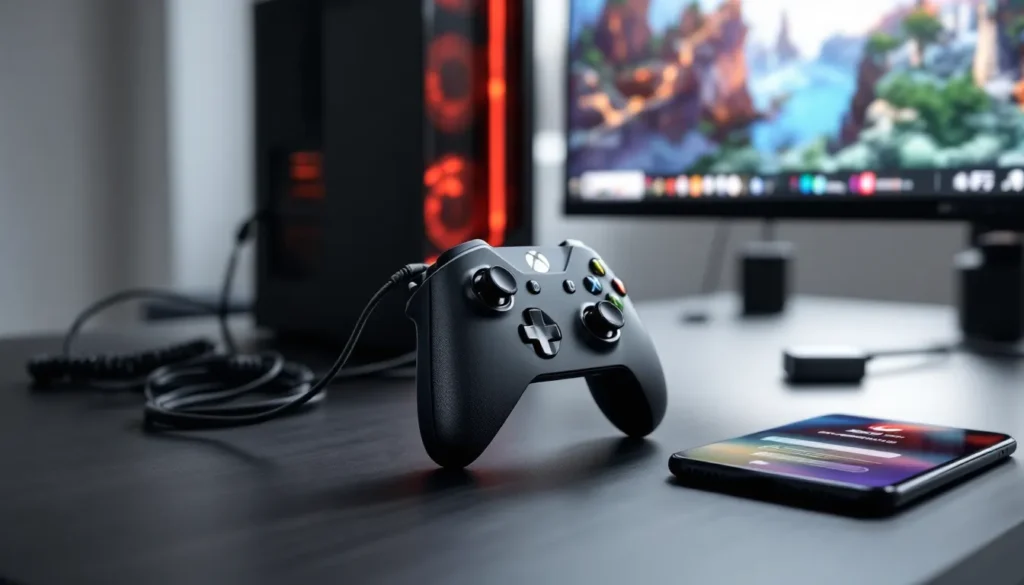
Every Xbox One needs at least one controller, but having two opens up local multiplayer. The standard Xbox One Wireless Controller is compatible across all models and uses AA batteries by default.
Charging options:
- Play and Charge Kit ($24.99 new): Rechargeable battery pack and USB cable. The official Microsoft version is reliable and lasts 4-5 years.
- Third-party charging docks ($15-$25): Stations that charge multiple controllers simultaneously. Quality varies, stick to brands like PowerA or Nyko.
- Rechargeable AA batteries ($12-$20 for a 4-pack with charger): Budget option that works but requires swapping batteries.
If you’re wondering about controller compatibility across Xbox generations, Xbox One controllers work on Series X
|
S, but not the reverse with Xbox 360 controllers on Xbox One.
Storage Expansion Options
Most Xbox One models come with 500GB or 1TB internal storage, which fills up fast with modern games. Call of Duty titles alone can consume 150GB+. External storage is essential for serious gaming.
External hard drives:
- Must be USB 3.0 or faster
- Minimum 256GB (though 1TB+ is recommended)
- Brands like Seagate, Western Digital, and Samsung all work fine
- 2TB drives run $50-$70 new, or cheaper used
External SSDs improve load times over HDDs, but they’re pricier and the benefit isn’t as dramatic as on Series X
|
S. For most Xbox One users, a standard HDD is fine.
The console recognizes external drives immediately, just plug in via USB and format when prompted. You can move games between internal and external storage freely.
Must-Have Cables and Adapters
Most used console sales include basic cables, but verify you’re getting:
- HDMI cable: Any HDMI cable works. Don’t overpay for “gaming” HDMI cables, the $8 Amazon Basics version performs identically to $50 premium options.
- Power cable: Original Xbox One models need the external power brick. Xbox One S and X have integrated power supplies and use standard figure-eight power cables.
- Ethernet cable (optional but recommended): Wired connections are more stable than Wi-Fi for online gaming. Cat5e or Cat6 cables are cheap and drastically reduce lag.
If you want to use a wireless headset, be aware that the Xbox One doesn’t support Bluetooth audio for gaming. You’ll need Xbox Wireless-compatible headsets or wired options with a 3.5mm jack. Resources about Xbox One Bluetooth headsets explain the workarounds and compatible models.
Setting Up and Optimizing Your Used Xbox One
You’ve got the console home, now what? Proper setup and optimization ensure you’re getting the best experience from your used hardware.
Initial Setup and Account Configuration
Power on the console and follow the on-screen setup wizard. You’ll need:
- Microsoft account: Create one or sign in with your existing account. This is required for all Xbox services.
- Internet connection: Wi-Fi or wired Ethernet. The console won’t function properly without online access for activation.
- Display settings: The console auto-detects your TV’s capabilities, but verify it’s set correctly in Settings > Display & Sound > Video Output. For One S and One X, enable 4K and HDR if your TV supports it.
If the previous owner didn’t factory reset the console, do it yourself: Settings > System > Console Info > Reset Console > Reset and Remove Everything. This wipes all data and ensures you start fresh.
System Updates and Performance Optimization
The console will likely prompt for system updates immediately. These can be large (10GB+), so expect 30-60 minutes depending on your internet speed. Don’t skip updates, they include critical security patches and performance improvements.
Once updated, optimize performance:
- Enable Instant-On mode: Settings > Power & Startup > Power Mode. This allows background downloads and quicker boot times, but uses more standby power.
- Clear cache regularly: Hold the power button for 10 seconds until the console fully shuts down, then unplug for 30 seconds. Reconnect and power on. This clears temporary files that can slow performance.
- Manage storage: Settings > System > Storage. Delete games you’re not playing to free up space.
- Prioritize game installs: Large games can download overnight while the console is in Instant-On mode.
For those interested in maximizing their console’s capabilities, guides on how to optimize Xbox One performance cover advanced tweaks and settings.
Cleaning and Maintenance Tips
Used consoles accumulate dust, which affects cooling and longevity. Basic cleaning extends lifespan:
- Ventilation ports: Use compressed air to blow out dust from all vents. Do this every 2-3 months.
- Exterior: Wipe down with a slightly damp microfiber cloth. Avoid harsh chemicals.
- Controllers: Remove battery covers and clean contact points with isopropyl alcohol on a cotton swab.
- Disc drive: Use a disc cleaning kit if you notice read errors. Don’t insert foreign objects to “clean” the drive mechanism.
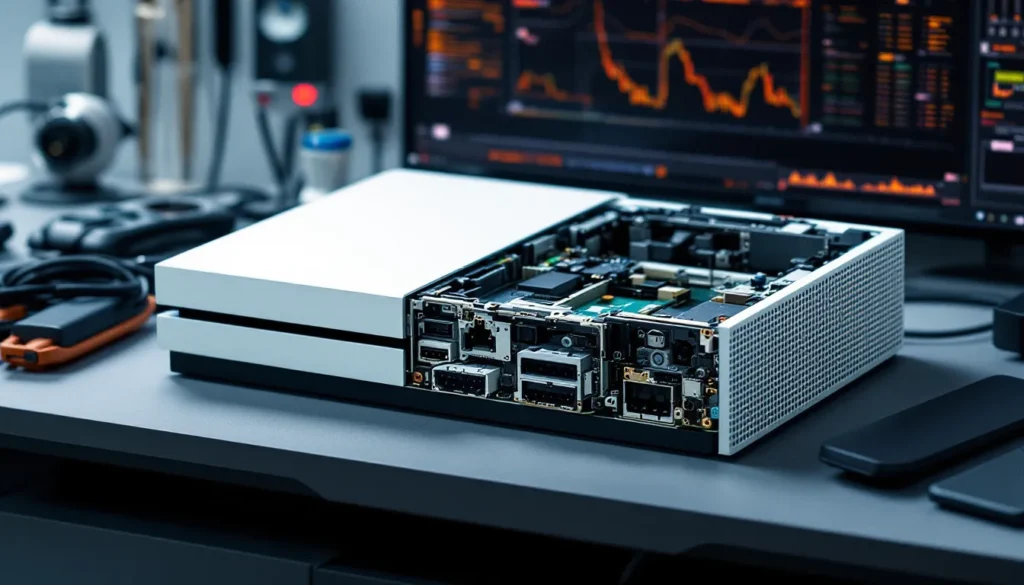
For deeper cleaning (thermal paste replacement, internal dust removal), you’ll need to open the console. This voids any remaining warranty and requires technical skill. Unless you’re confident with electronics repair, stick to external cleaning or pay a professional.
Common Issues with Used Xbox One Consoles and How to Fix Them
Even well-maintained used consoles can develop problems. Here are the most common issues and their solutions.
Disc Drive Problems and Solutions
Disc drive failures are among the most frequent Xbox One issues. Symptoms include:
- Console won’t accept discs
- Grinding or clicking noises
- Disc read errors
- Drive ejects discs immediately
DIY fixes:
- Manual eject: Power off completely, then insert a straightened paperclip into the small eject hole (usually near the disc slot). Gently push to manually eject.
- Power cycle: Unplug the console for 30 seconds, plug back in, and try again.
- Clean the disc: Smudges and scratches prevent reading. Clean discs with a microfiber cloth from center to edge.
If mechanical grinding persists, the drive mechanism likely needs replacement. Repair shops charge $80-$120 for disc drive repairs, which may not be worth it on a $150 console. Consider switching to digital-only gaming or upgrading to a working unit.
Overheating and Ventilation Issues
Xbox Ones shut down automatically when internal temps exceed safe thresholds. If your console powers off during gameplay with an overheating message, try:
- Improve ventilation: Ensure at least 4-6 inches of clearance on all sides. Don’t place the console in enclosed cabinets or stack items on top.
- Clean vents: Dust buildup restricts airflow. Use compressed air on all vent openings.
- Reapply thermal paste: Over time, thermal paste between the CPU/GPU and heatsink degrades. Replacing it can drop temps by 10-15°C, but requires disassembly.
- External cooling: USB-powered cooling fans are available for $15-$25. They help but aren’t a permanent fix for underlying problems.
Persistent overheating after cleaning usually indicates fan failure or heat sink issues requiring professional repair.
Connectivity and Network Troubleshooting
Network issues prevent online play, downloads, and Xbox Live access. Common problems:
Can’t connect to Wi-Fi:
- Verify network credentials (password, network name)
- Move console closer to the router or eliminate obstructions
- Switch to 5GHz Wi-Fi if available (less congestion than 2.4GHz)
- Use wired Ethernet for best stability
NAT type issues:
- NAT type determines multiplayer connectivity. “Open” is ideal, “Moderate” is acceptable, “Strict” causes problems.
- Fix: Enable UPnP in router settings or manually forward ports 3074 (UDP/TCP) and 53, 80, 88, 500, 3544, 4500 (UDP) to your Xbox’s IP address.
Slow downloads:
- Pause all other downloads and streaming on your network
- Test during off-peak hours (late night/early morning)
- Check your ISP speed, Xbox One can use full bandwidth if available
According to troubleshooting resources, most network issues stem from router configuration rather than console hardware. Factory resetting your router occasionally resolves persistent problems.
Warranty and Protection Options for Used Consoles
Used consoles rarely come with manufacturer warranties, but you have protection options depending on where you buy.
Retail refurbished warranties: GameStop and Best Buy typically offer 30-90 day warranties on refurbished consoles. Some credit cards extend this by an additional year if you use the card for purchase, check your cardholder benefits.
Third-party protection plans: Retailers like Micro Center and some local game stores sell extended warranty plans for $20-$40 that cover 1-2 years. Read the fine print, many exclude “accidental damage” and only cover manufacturing defects.
eBay Money Back Guarantee: Covers purchases for 30 days if the item doesn’t match the description or arrives defective. File claims through eBay’s resolution center with photos and documentation.
Credit card purchase protection: Many cards offer 90-120 day purchase protection for damaged or defective items. American Express, Chase, and Discover typically include this benefit on their cards.
Homeowners/renters insurance: High-value electronics may be covered under personal property insurance, though deductibles often exceed the console’s replacement cost.
DIY repair: If you’re handy, YouTube tutorials and iFixit guides walk through most Xbox One repairs. Replacement parts are available on Amazon and eBay for $15-$50 depending on the component. This voids any existing warranty but can save money.
For private sales on Craigslist or Facebook, you have zero protection after the transaction. Test thoroughly before buying, or accept the risk.
Conclusion
Picking up a used Xbox One in 2026 remains a smart move for budget-conscious gamers, families, or anyone looking to explore the massive Xbox ecosystem without new-gen pricing. The key is knowing which model fits your needs, where to find legitimate deals, and how to inspect hardware before committing your cash. The One S hits the sweet spot for most buyers with its 4K media playback and compact design, while the One X still delivers impressive 4K gaming performance if you’re willing to pay a bit more.
Whether you’re hunting for backward compatible classics or just want a Game Pass machine for the guest room, the used market has never been more accessible. Stick to the pricing guidelines, test everything in person when possible, and don’t skip the post-purchase optimization steps. Your wallet will thank you, and you’ll be fragging opponents or exploring open worlds within hours of setup.