The Xbox One generation might not be the newest kid on the block, but in 2026, it’s become one of the smartest ways to jump into console gaming without emptying your wallet. With thousands of used Xbox One consoles flooding the market as players upgrade to current-gen hardware, buyers have more options, and better deals, than ever before. But navigating the secondhand market isn’t as simple as clicking “buy now” on the first listing you see.
Whether you’re hunting for a used Xbox One S digital edition for your college dorm, a refurbished Xbox One S to relive your favorite Game Pass titles, or simply want to understand what you’re actually getting when you see “Xbox One Slim” listed for sale, this guide covers everything you need to know. We’re talking real-world pricing, model breakdowns, inspection checklists, and the kind of street-smart advice that keeps you from ending up with a console that sounds like a jet engine. Let’s get into it.
Table of Contents
ToggleKey Takeaways
- A used Xbox One costs between $80–$250 depending on the model and condition, making it one of the most affordable ways to enter console gaming in 2026.
- The Xbox One S offers the best value for most buyers with compact design and 4K streaming, while the Xbox One X delivers premium 4K gaming performance at a higher price point.
- Always inspect a used Xbox One in person before purchasing, testing the disc drive, controller connectivity, and running the console for 10–15 minutes to check for overheating issues.
- Look for listings on eBay, Facebook Marketplace, or retail programs like GameStop, which offers a 30-day warranty—crucial protection when buying secondhand gaming hardware.
- The Xbox One still supports thousands of games, backward-compatible titles, Game Pass, and Xbox Live services, making it a viable choice through at least 2028 despite being last-generation hardware.
- Negotiate strategically by comparing prices across platforms, pointing out cosmetic flaws politely, and avoiding overprice listings with unmotivated sellers.
Why Buy a Used Xbox One in 2026?
At first glance, buying a last-gen console in 2026 might seem like a step backward. But here’s the thing: the used Xbox One market has hit a sweet spot where affordability meets a massive, proven game library.
For budget-conscious gamers, a used Xbox One offers an entry point into the Xbox ecosystem at a fraction of the cost of a Series X or S. You’re looking at price tags that often land between $80 and $200 depending on the model and condition, significantly less than the $300+ you’d shell out for new hardware. Plus, the console still receives software updates, and Xbox Live Gold (now part of Game Pass Core) continues to function exactly as it did at launch.
The backward compatibility angle is another huge win. The Xbox One plays hundreds of Xbox 360 and original Xbox titles, and many games run with enhancements on the One S and One X models. If you’ve got a backlog of older games or just want to revisit classics without maintaining multiple consoles, a used Xbox 1 does the job beautifully.
There’s also the practical side: parents looking for an affordable console for younger kids, college students who need a budget entertainment hub, or someone building a dedicated streaming device for their bedroom. The Xbox One handles Netflix, Hulu, Disney+, and other apps without breaking a sweat. You don’t need cutting-edge hardware to binge The Last of Us on HBO Max.
Finally, the sheer availability of used xbox one for sale listings means buyers have leverage. It’s a buyer’s market right now, and with a little patience and knowledge, you can negotiate your way into a great deal.
Understanding Xbox One Models and Variations
Not all Xbox Ones are created equal. Microsoft released three distinct models between 2013 and 2017, each with its own specs, design quirks, and current market position. Knowing the differences helps you decide which used Xbox One makes the most sense for your needs and budget.
Original Xbox One (2013)
The OG Xbox One is the big, blocky console that launched the generation. It’s got that unmistakable VCR aesthetic, complete with an external power brick the size of a small novel. While it was revolutionary at launch, time hasn’t been kind to its reputation.
Specs-wise, it outputs games at 1080p (though many titles run at 900p or lower), and it originally shipped with a Kinect sensor bundled in. Most used models you’ll find today won’t include the Kinect, which is fine, the peripheral never gained much traction with developers after 2015.
The original Xbox One is the cheapest option on the secondhand market, often hovering around $80 to $120 depending on condition. It’s bulky, it’s loud under load, and it definitely shows its age compared to later models. But if you’re on an ultra-tight budget and just want access to the game library, it gets the job done. Just be aware that this model is most prone to overheating issues and disc drive failures due to its age.
Xbox One S (2016)
The Xbox One S is the sweet spot for most buyers. Released in 2016, it’s 40% smaller than the original, ditched the external power brick, and added HDR support plus 4K video playback for streaming apps and Ultra HD Blu-rays. Game output is still 1080p, but some titles received slight performance boosts.
Design-wise, the xbox one slim (another common name for the One S) looks cleaner and more modern. It came in multiple storage sizes: 500GB, 1TB, and 2TB, though the 2TB version is rare in the wild. You’ll also find special edition colors and bundles, with the xbox one s black being the most common, though white and other limited editions pop up regularly.
One notable variant is the xbox one s all digital edition, launched in 2019. This model strips out the disc drive entirely, making it download-only. It’s lighter, quieter, and often cheaper on the used market since it can’t play physical games or movies. If you’re fine going all-in on digital purchases and Game Pass, the xbox one s digital version is a solid pick, just make sure you’ve got decent internet.
Used Xbox One S consoles typically run between $120 and $180, depending on storage and condition. Refurbished Xbox One S units from retailers like GameStop often come with a short warranty, adding a layer of protection.
Xbox One X (2017)
The Xbox One X was Microsoft’s premium answer to the PS4 Pro. It’s the most powerful Xbox One variant by a wide margin, capable of rendering games at native 4K and offering significantly better frame rates and visual fidelity. It’s basically the Xbox One equivalent of a high-end gaming PC, well, for 2017 standards.
Physically, it’s compact and sleek, smaller than even the One S even though packing more horsepower. It’s also the quietest Xbox One model, thanks to improved cooling. If you’re looking for a used Xbox One and you care about performance, eBay Xbox One X listings often offer competitive pricing compared to other marketplaces.
The catch? Price. Used Xbox One X consoles still command $180 to $250+ depending on condition and included accessories, since enthusiasts and collectors recognize its value. It’s also less common on the market, as many One X owners either held onto them or traded up to Series X.
Bottom line: if you’ve got a 4K TV and want the best Xbox One experience, the X is worth the premium. If you’re gaming on a 1080p display or just want something that works, the One S is a better value.
How Much Should You Pay for a Used Xbox One?
Pricing in the used console market can feel like the Wild West. You’ll see xbox one s price tags ranging from $60 to $300 depending on where you’re looking, what’s included, and how desperate (or clueless) the seller is. Here’s what you should actually be paying in 2026.
Current Market Prices by Model
Based on aggregated listings across major platforms like Facebook Marketplace, eBay, Craigslist, and retail trade-in programs, here’s the realistic price breakdown:
- Original Xbox One (2013): $80–$120. Console-only deals can dip as low as $60, but expect to pay around $100 for a working unit with controller and cables.
- Xbox One S (2016): $120–$180. The 500GB models sit at the lower end: 1TB versions with extras (games, extra controller) push toward $180. The xbox one s all digital variant typically runs $100–$140 since the lack of a disc drive reduces its flexibility.
- Xbox One X (2017): $180–$250. Clean, well-maintained units with low hours command the higher end. Expect to pay $200 for a solid console with standard accessories.
Refurbished Xbox One S consoles from GameStop or Best Buy typically list around $150–$170, but they come with a 30-day warranty, which adds peace of mind. That extra $20–$30 over a private sale can be worth it if you’re risk-averse.
Factors That Affect Resale Value
Not all used consoles are priced equally, even within the same model. Several factors push prices up or down:
Storage capacity. A 1TB Xbox One S will sell for $20–$40 more than a 500GB model. Since games are massive now (looking at you, Call of Duty), that extra space matters.
Included accessories. A console with the original controller, HDMI cable, power supply, and even a game or two is worth more than a bare unit. If you see a deal that’s “console only,” factor in another $40–$60 to buy a controller separately.
Cosmetic condition. Scratches, scuffs, and wear on the shell can knock $20–$50 off the price. But, cosmetic damage rarely affects performance. If you don’t care about a few battle scars, you can save money by targeting “fair” or “good” condition listings instead of “like new.”
Working disc drive. This is huge. A console with a broken or finicky disc drive loses 30-40% of its value immediately. If you’re fine going digital-only, a console with a dead drive can be a steal, but only if the seller prices it accordingly.
Market timing. Prices spike around holidays (November–December) and dip during spring and summer when fewer people are shopping for consoles. If you can wait, April through July is prime hunting season.
Regional availability. Urban areas with high inventory tend to have lower prices due to competition among sellers. Rural markets often see inflated prices simply because there are fewer listings.
Where to Buy a Used Xbox One Safely
Knowing where to shop is half the battle. Some platforms offer buyer protection and standardized pricing: others are cheaper but riskier. Here’s the breakdown.
Online Marketplaces
eBay remains one of the most popular platforms for used consoles. Buyer protection through eBay’s Money Back Guarantee gives you recourse if the console arrives broken or not as described. Prices are competitive, and you can filter by condition, seller ratings, and location. Auctions can land you great deals if you’re patient, but “Buy It Now” listings are safer for setting a firm budget.
Facebook Marketplace is where you’ll find the wildest deals, and the sketchiest sellers. Prices are often lower than eBay since there are no seller fees, but you’re buying directly from individuals with zero platform accountability. Always meet in public, test the console before handing over cash, and trust your gut if something feels off.
Mercari and OfferUp fall somewhere in between. Both offer some buyer protection and rated seller systems, though not as robust as eBay. Pricing tends to be fair, and local pickup options let you inspect before buying.
One advantage of online shopping is the sheer volume of listings. You can search for specific models, like “xbox 1 for sale” or “xbox one s for sale”, and compare dozens of options in minutes. Just watch out for listings with vague photos or descriptions: those are red flags.
Retail Stores and Trade-In Programs
GameStop sells pre-owned Xbox One consoles with a 30-day warranty, which is a huge plus for risk-averse buyers. Prices run slightly higher than private sales, but the peace of mind and return policy can be worth it. They also offer refurbished models that have been cleaned and tested.
Best Buy occasionally stocks open-box or refurbished Xbox Ones through their outlet section. These deals are hit-or-miss but worth checking if you’re near a physical store.
Amazon Renewed offers certified refurbished consoles backed by Amazon’s return policy. Pricing is competitive with GameStop, and shipping is fast. The downside? Inventory is inconsistent, and you can’t inspect the unit before purchase.
Retail options are best for buyers who value convenience and guarantees over saving every possible dollar. Gaming hardware reviews and buying guides often highlight these programs as safer alternatives to peer-to-peer sales.
Local Options and Private Sellers
Craigslist is the OG of local classifieds. Prices can be fantastic if you catch someone who just wants the console gone, but there’s zero buyer protection. Always meet in a public place, police station parking lots are ideal, and test everything before paying.
Pawn shops and secondhand stores sometimes carry used Xbox One consoles, though selection is spotty. Pricing varies wildly: some shops price fairly, others are absurdly high. Still, if you’ve got a good local shop, it’s worth checking periodically.
Friends, family, and word-of-mouth. Don’t underestimate asking around. Someone in your circle might have an old console collecting dust that they’d sell for cheap. You’ll likely get a better deal and more honest info about the console’s condition than any stranger would provide.
What to Inspect Before Buying a Used Xbox One
Whether you’re meeting a seller in a parking lot or unboxing a shipment from eBay, you need to know what to check. A few minutes of inspection can save you from buyer’s remorse and a dead console.
Physical Condition and External Damage
Start with the exterior. Check for cracks, deep scratches, or dents on the console shell. Minor scuffs are normal and don’t affect performance, but significant damage could indicate the console was dropped or mishandled, which might mean internal issues.
Inspect the ports. Look at the HDMI port, USB ports, and power input. Are they clean and intact? Bent or damaged ports are a dealbreaker unless you’re handy with a soldering iron. Also check the disc drive slot (if applicable) for obstructions or visible damage.
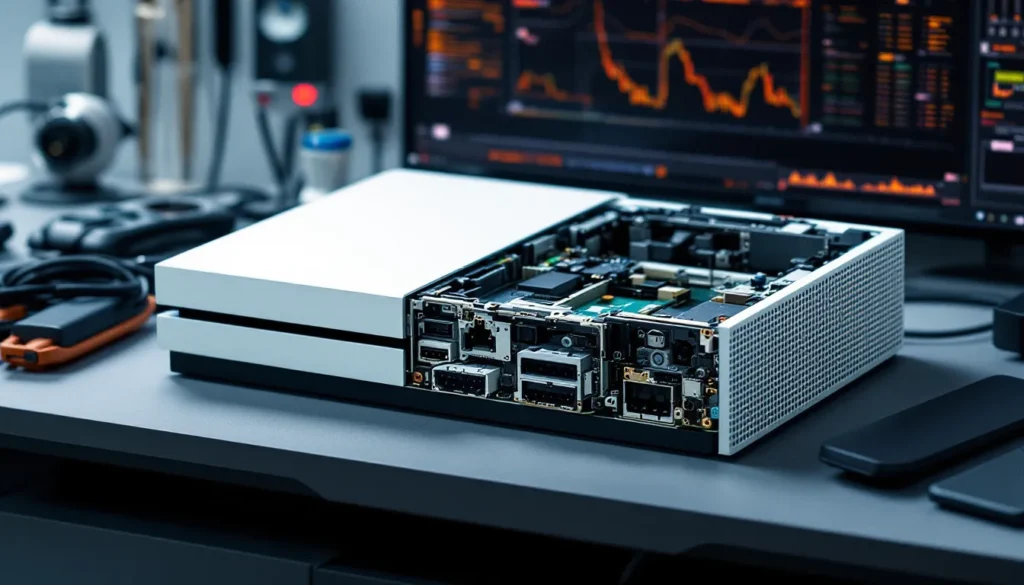
Pop off the vent covers if you can and peek inside. Dust buildup isn’t a dealbreaker, most used consoles have some, but if it looks like the console was stored in a barn, that’s a red flag for overheating issues down the line.
If you’re buying in person, bring a microfiber cloth and some isopropyl alcohol. Wipe down the console to see the true condition under any grime. Sellers who’ve cleaned their console before listing usually took better care of it overall.
Testing Console Functionality
This is the critical part. If you’re buying locally, insist on testing the console before paying. Here’s the checklist:
- Power on. The console should boot to the dashboard without errors. Watch for unusual noises, clicking, grinding, or loud fan noise could indicate hardware problems.
- Disc drive test. Insert a disc (bring one if the seller doesn’t have any). It should pull in smoothly, read the disc within 10–15 seconds, and launch the game or app. Eject it and repeat. A finicky or non-responsive drive is a common issue with used xbox one s and older models.
- Controller sync. Pair the included controller via wireless. Check that all buttons, triggers, and analog sticks work smoothly without drift or sticking.
- Network connection. Connect to Wi-Fi or Ethernet and verify the console can access Xbox Live. Sign into a dummy account if possible to confirm online functionality.
- HDMI output. Make sure the video signal is clean with no flickering, static, or color issues. Test a few different apps or games to rule out software glitches.
- Overheating test. Let the console run for 10–15 minutes. It should stay relatively quiet and not feel excessively hot to the touch. If the fan ramps up to jet-engine levels immediately, walk away.
If you’re buying online, ask the seller for a short video showing the console powering on, loading a game, and ejecting a disc. Reputable sellers won’t hesitate: sketchy ones will ghost you.
Verifying Included Accessories and Cables
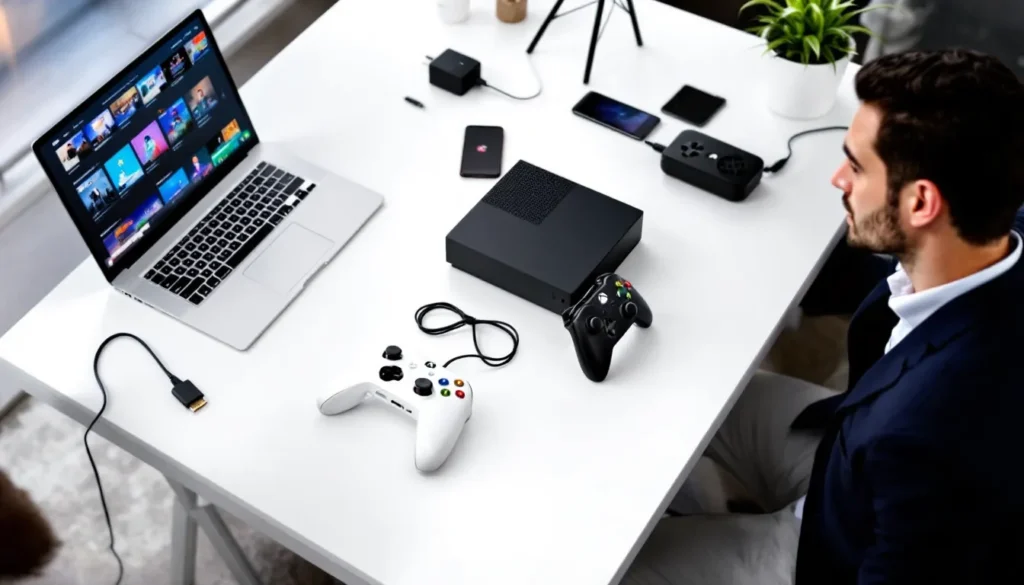
A complete Xbox One setup includes:
- Console
- Controller (ideally the original, though any Xbox One controller works)
- Power cable (or power brick for the original model)
- HDMI cable
Optional but nice to have: headset adapter, charging cables, or extra controllers.
Confirm everything is present before finalizing the deal. Missing accessories add cost and hassle. An HDMI cable is $5, but an Xbox One controller is $40–$60. If the listing says “console only,” budget accordingly.
Also verify the controller isn’t heavily worn. Check for stick drift by gently moving the analog sticks and watching the on-screen cursor, it shouldn’t drift when you release. Test all buttons and triggers. A worn controller is usable but might need replacing soon, and that eats into your savings.
Common Issues with Used Xbox One Consoles
Every console generation has its Achilles’ heel. The Xbox One family is no exception. Knowing the common failure points helps you spot problems early and avoid buying a lemon.
Disc Drive Problems
This is the most frequent issue with used Xbox Ones, especially the original 2013 model. Symptoms include discs not ejecting, not being recognized, or making grinding noises during reads. Sometimes the drive works intermittently, which is even more frustrating.
The root cause is usually a worn drive motor or misaligned laser assembly. It’s technically repairable, but replacement drives cost $40–$60, and installation isn’t beginner-friendly unless you’re comfortable with console tear-downs.
If you’re looking at a console with a suspect disc drive and the price reflects that (think $60–$80 instead of $120), it might still be worth it if you plan to go all-digital anyway. Just make sure Xbox Live and game downloads work flawlessly, since you’ll be relying on them exclusively.
Overheating and Ventilation Issues
The original Xbox One runs hot, and years of dust buildup make it worse. Overheating manifests as unexpected shutdowns, especially during graphically intense games, or the console refusing to power on until it cools down.
The One S and One X have better thermal management, but they’re not immune. If the previous owner kept the console in a closed cabinet or never cleaned the vents, you’re inheriting a ticking time bomb.
Signs of overheating issues:
- Console shuts down after 30–60 minutes of gameplay
- Fan noise is excessively loud even at idle
- Vents are clogged with dust or pet hair
- Console feels hot to the touch within minutes of powering on
For those willing to get their hands dirty, Xbox repair guides walk through cleaning internal components and reapplying thermal paste. Otherwise, budget for a professional cleaning or skip consoles that show obvious overheating symptoms.
Controller Connectivity and Wear
Used Xbox One controllers often suffer from stick drift, worn bumpers, or flaky wireless connectivity. Stick drift is the big one, analog sticks register input even when untouched, making precise aiming impossible.
Wireless issues usually stem from weak batteries or interference, but sometimes the controller’s internal radio is failing. Test connectivity at various distances from the console. If the controller disconnects frequently or requires line-of-sight to stay connected, it’s on its way out.
Button wear is cosmetic but annoying. Shiny, worn A/B/X/Y buttons or loose triggers indicate heavy use. They’ll still work, but the tactile feel is degraded.
The good news? Xbox One controllers are relatively cheap on the used market ($25–$40), so even if the included controller is toast, replacing it won’t destroy your budget. Just factor that cost into your offer if the controller is suspect.
Is the Xbox One Still Worth It in 2026?
It’s a fair question. The Xbox Series X and S have been on the market for over five years now, and cross-gen support is winding down. So is buying a used Xbox One in 2026 a smart move, or are you setting yourself up for obsolescence?
Game Library and Backward Compatibility
The Xbox One’s game library is enormous. We’re talking thousands of titles spanning the Xbox One generation, plus hundreds of backward-compatible Xbox 360 and original Xbox games. Major franchises like Halo, Gears of War, Forza, Red Dead Redemption 2, The Witcher 3, Elden Ring (yes, it runs on Xbox One), and countless indie gems are all playable.
Sure, newer games like Starfield, Fable, and Perfect Dark are Series X
|
S exclusives, but the vast majority of the Xbox ecosystem is still accessible on Xbox One hardware. If you’re catching up on last-gen hits or diving into Game Pass’s extensive catalog, a used xbox one offers incredible value.
Backward compatibility is another huge win. Xbox’s approach to compatibility has been industry-leading, and the Xbox One plays most of the best 360 titles with enhancements. If you’ve got a digital library from previous generations tied to your Xbox account, it carries forward seamlessly.
The One X specifically punches above its weight here. Enhanced 360 titles run at higher resolutions and improved frame rates, making it a fantastic retro gaming machine plus to a competent current-gen console.
Online Services and Xbox Live Support
Microsoft has committed to supporting Xbox Live on the Xbox One for the foreseeable future. As of early 2026, all online services, multiplayer, Game Pass, cloud saves, achievements, function identically to how they did at launch.
Game Pass is the killer app here. For $10–$17/month depending on tier, you get access to hundreds of games, many of which run perfectly fine on Xbox One hardware. It’s the Netflix of gaming, and it transforms a used xbox 1 into an all-you-can-play buffet.
There’s no announced end-of-life date for Xbox One online services, and Microsoft has historically supported consoles well beyond their commercial lifespan. The Xbox 360’s online services didn’t shut down until 2024, over 18 years after launch. Realistically, the Xbox One will remain supported through at least 2028, if not longer.
That said, new game releases are increasingly Series X
|
S exclusive, and that trend will accelerate. If you want to play the latest AAA titles day one, you’ll need current-gen hardware. But if you’re a patient gamer who’s fine playing games a year or two after release, the Xbox One is still viable.
Tips for Negotiating and Getting the Best Deal
Buying used is as much about negotiation as it is about finding the right console. Here’s how to squeeze every dollar out of the deal without being a jerk about it.
Do your assignments. Before reaching out to any seller, know the going rate for the model you want. Check completed eBay listings, scroll through Facebook Marketplace, and compare prices across platforms. Walk into negotiations armed with data. If a seller is asking $180 for a used Xbox One S and you’ve seen five others listed at $140, you’ve got leverage.
Point out flaws (politely). If the console has cosmetic damage, a worn controller, or missing accessories, mention it. “Hey, I noticed the controller’s pretty worn and there’s a scratch on the top. Would you consider $120 instead of $150?” Most sellers will budge rather than lose the sale.
Bundle or walk. If you’re negotiating on a console that doesn’t include games or a second controller, ask the seller to throw in extras. Many people have old games or accessories lying around that they’d happily include to close the deal. Worst case, they say no.
Time it right. Sellers who’ve had a listing up for weeks are more motivated to negotiate than someone who posted an hour ago. If you see a listing that’s been up for 10+ days, there’s a good chance the seller will accept a lower offer just to move it.
Cash talks (for local deals). If you’re meeting in person, mention you’ve got cash in hand. Immediate payment with no platform fees or waiting for checks to clear is appealing to sellers. It’s worth a $10–$20 discount in many cases.
Be ready to walk. If the price isn’t right or the console has issues the seller didn’t disclose, don’t be afraid to bail. There are always more listings. Desperation leads to bad purchases.
Use “best offer” features. On platforms like eBay and Mercari, many sellers enable “Make an Offer.” Start at 15–20% below asking price. You’d be surprised how often sellers accept or counter close to your number.
One last tip: avoid listings with phrases like “no low ballers” or “I know what I have.” Those sellers are usually overpricing and inflexible. Save your time for motivated sellers who actually want to move their console.
Setting Up Your Used Xbox One for the First Time
You’ve scored a great deal, brought the console home, and now it’s time to fire it up. Here’s how to get everything running smoothly.
First, unbox and inspect everything one more time. Make sure all cables are present and the controller has batteries. Plug the power cable into the console and the wall, then connect the HDMI cable from the console to your TV or monitor.
Power on the console by pressing the Xbox button on the front of the unit. It should display the green Xbox logo and boot to the setup screen. If you bought the console used, it might already be set up with the previous owner’s account. Navigate to Settings > System > Console Info > Reset Console. Choose “Reset and remove everything” to wipe the console clean and start fresh. This ensures no personal data from the previous owner remains and gives you a clean slate.
Once the reset completes, follow the on-screen setup process. Connect to your Wi-Fi network (or plug in an Ethernet cable for faster, more stable connection). Sign in with your Microsoft account, or create a new one if you don’t have one. The console will prompt you to download a system update, this is normal. Let it download and install. Depending on how long the console sat unused, this update could take 10–30 minutes.
After the update, you’ll be at the dashboard. Now’s a good time to run through a few settings:
- Display & sound: Go to Settings > General > TV & display options. Make sure the resolution matches your TV (1080p for most, 4K for One X users with a 4K TV). Enable HDR if your TV supports it (One S and One X only).
- Power settings: Settings > General > Power mode & startup. Choose between “Instant-on” (faster startup, higher standby power draw) or “Energy-saving” (slower startup, lower power use). Instant-on is convenient for downloading updates overnight.
- Storage management: Check Settings > System > Storage to see how much space is available. If you bought a 500GB model, usable space is closer to 360GB after the OS. You can add an external USB 3.0 hard drive for extra storage.
Test the controller one more time now that everything’s set up. Go to Settings > Devices & connections > Accessories and select your controller. Update the controller firmware if prompted, this can fix connectivity issues and improve performance.
Finally, sign into Xbox Live and download a game or app to verify everything works. If you’ve got Game Pass, browse the catalog and grab a title. Otherwise, test with a free app like Netflix or YouTube. Once you confirm downloads work and games launch without issue, you’re good to go.
If you run into issues, console won’t connect to the internet, games won’t launch, or the disc drive acts up, don’t panic. Many problems have simple fixes, and Xbox troubleshooting resources walk through common solutions step-by-step.
Conclusion
Buying a used Xbox One in 2026 is a smart play for budget-minded gamers who want access to a massive library without paying current-gen prices. Whether you’re eyeing a used Xbox One S for its compact design and 4K streaming, hunting for a refurbished Xbox One S with a warranty, or trying to snag an Xbox One X for its 4K gaming capabilities, the market is flooded with options at every price point.
The key is knowing what you’re buying, where to look, and what to inspect before handing over your cash. Stick to fair market prices, test everything before you buy, and don’t be afraid to walk away from a sketchy deal. With a little patience and the knowledge from this guide, you’ll land a console that delivers hundreds of hours of gaming at a fraction of the cost of new hardware.
The Xbox One generation might be in the rearview mirror, but for the right buyer, it’s still a fantastic way to game in 2026.